An Operation Type specifies the type of inventory movement that takes place in the warehouse. It serves as a guide that dictates how a stock operation should function.
In a warehouse, every time items move, a specific process occurs. This process involves getting products in, sending out orders, moving stock around, and making new products.
Operation Types explain the different processes of Inventory Management. They help manage how inventory shifts from one place to another.
Benefits of Operation Types
Using Operation Types has many benefits:
- Makes warehouse processes consistent.
- It automatically picks the source and destination places.
- Lowers the need for manual setup when handling stock tasks.
- Handles various inventory tasks like receiving items, delivering goods, transferring stock, and manufacturing products.
- Enhances the precision of inventory records.
- Supports the automation of activities in the warehouse.
Steps to Create an Operation Type
To create a new Operation Type, follow these steps.
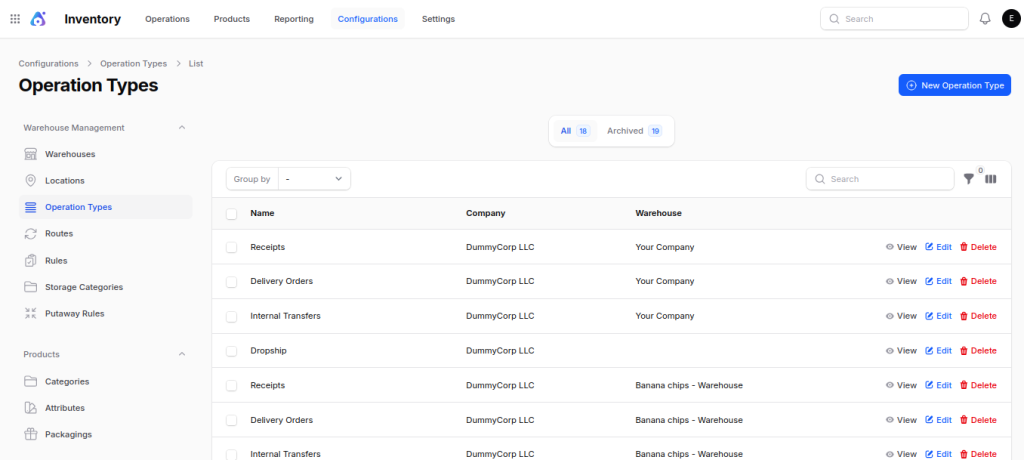
Step 1: Open Operation Types
Navigate to:
Inventory → Configuration → Warehouse Management → Operation Types
This page shows all the types of operations you can use. You can click the New Operation Type button to make a new one.

Step 2: Complete the Operation Details
Fill in the required information.
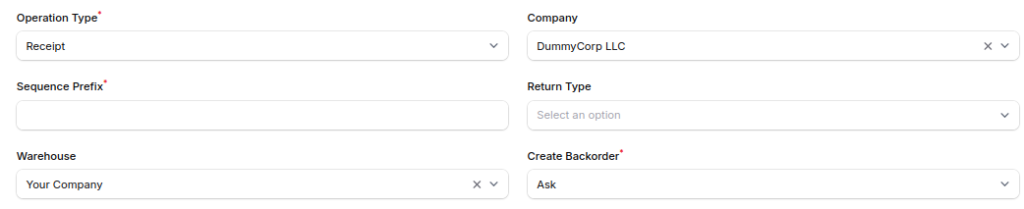
Operation Type: Enter the name of the operation type.


Operation Type: Select the kind of warehouse operation you want to use.
The options you have are: Receipt, Delivery, Internal Transfer, Dropship, and Manufacturing.
Every choice helps a certain inventory method.
Sequence Prefix: The sequence prefix helps create unique reference numbers for stock activities.
Warehouse: Choose the warehouse where this type of operation will take place. If your company has several warehouses, each one can have different operation types.
Create Backorder: Decide on a method for managing backorders.
- Ask: Please ask the user for confirmation before placing a backorder.
- Always: Create a backorder automatically.
- Never: Please don’t make a backorder; just go ahead and cancel the leftover amount.
Company: Choose the company when you are handling several companies in the same database.
Return Type: Choose the type of operation for managing returned items.

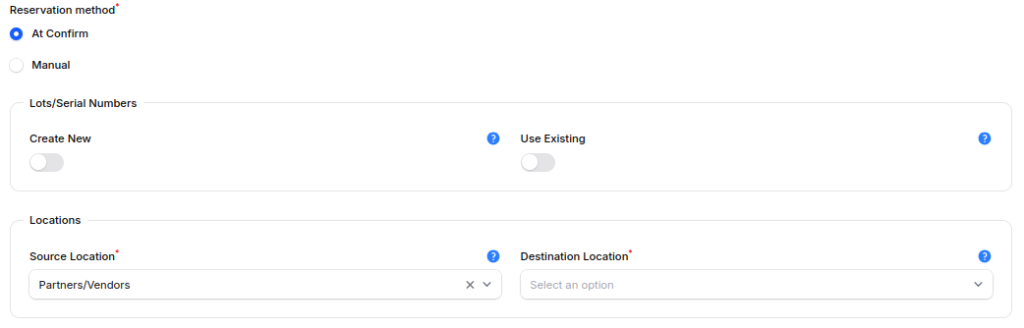
Reservation Method: Choose the best moments to hold products.
- At Confirmation – The system automatically reserves the inventory when you confirm the operation.
- Manual – It reserves the inventory only if the user manually verifies its availability.
Lots / Serial Numbers: Decide on a method for managing lot or serial numbers.
- Create New – They have the ability to create fresh lot or serial numbers during the process.
- Use Existing – Users need to pick a lot or serial number that already exists.
Source Location: Choose the source location for the products.
Destination Location: Choose the destination location for the products.

Step 3: Save the Operation Type
Once you’ve filled in all the necessary details, press the Create button.
You can now utilize the new Operation Type for moving inventory.
Workflow Using Different Operation Types
A full warehouse process involves different types of operations. These operations handle the movement of inventory at each step.
First, we start by gathering the raw materials. Next, we move on to the production stage. In the end, the Delivery team takes the finished products to the customer.
Every type of operation logs a certain movement of inventory, which helps keep track of stock accurately during the whole process.
Step 1: Create a Sales Order
The process starts when a Quotation is created.

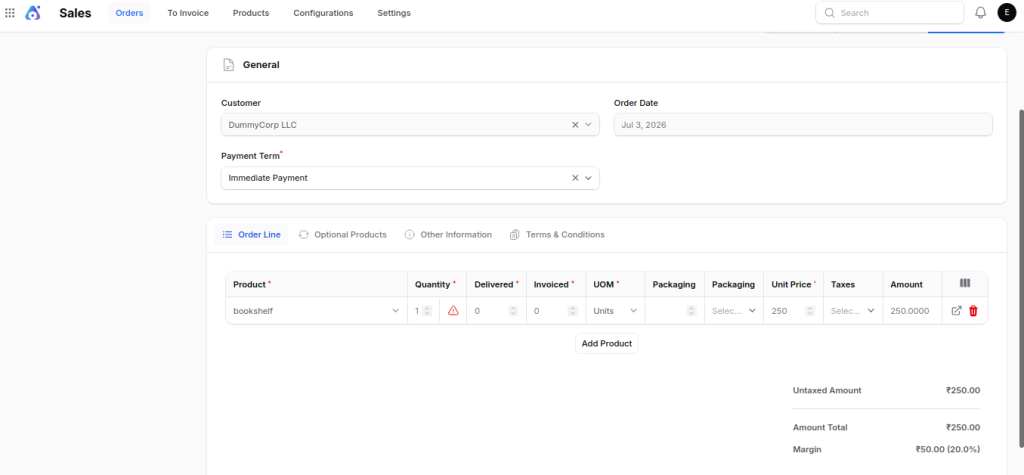
The Inventory module makes a delivery transfer. This transfer helps to complete the customer’s order.
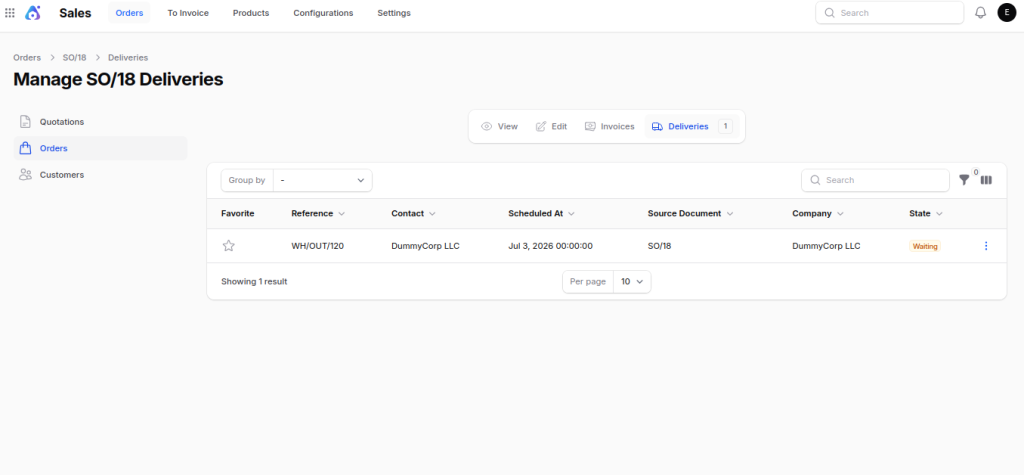
Step 2: Create a new MO for manufacturing.
When a user chooses to complete the Sales Order using a Manufacturing Order (MO), the system generates the MO.

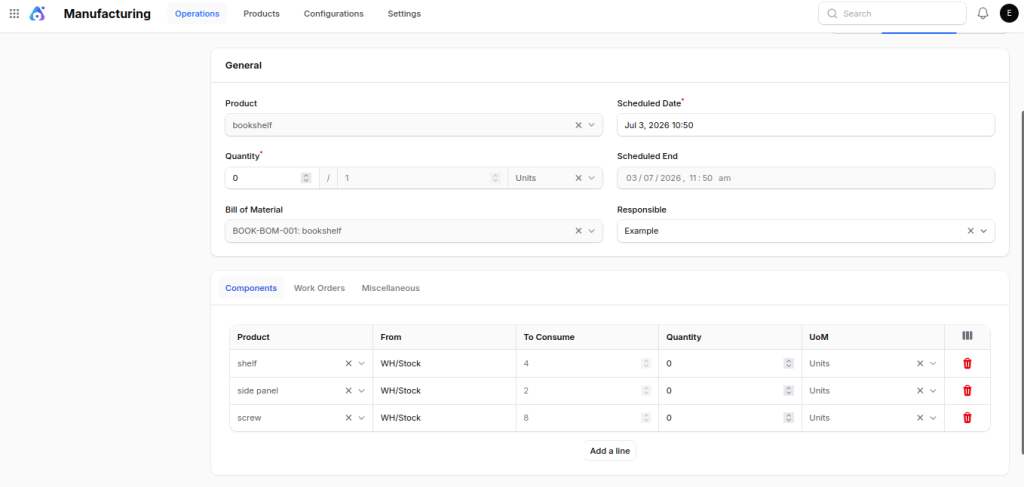
This order tells us what product to make. It also includes the raw materials needed to create the final product.
Step 3: Make a Purchase Order for Raw Materials
When the needed raw materials aren’t in stock, a Purchase Order (PO) is made.
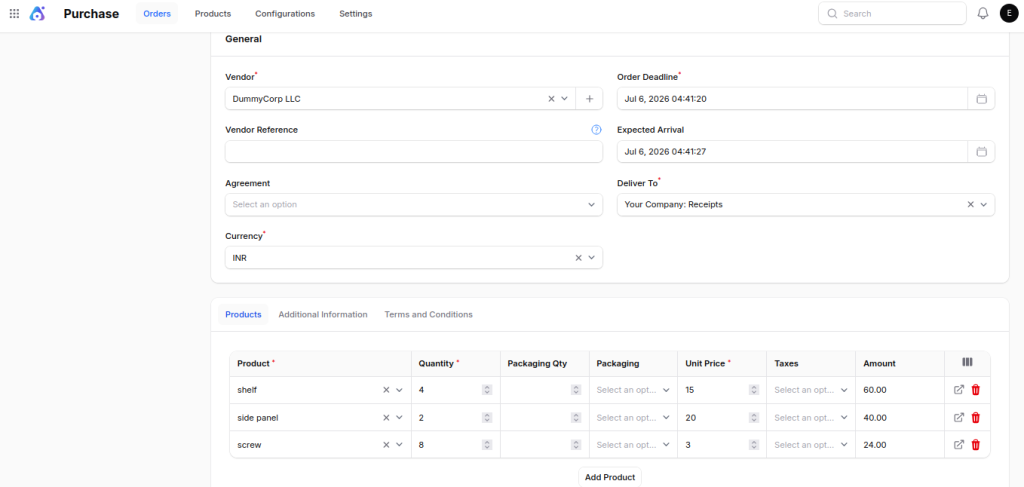
The warehouse receives the raw materials from the supplier.
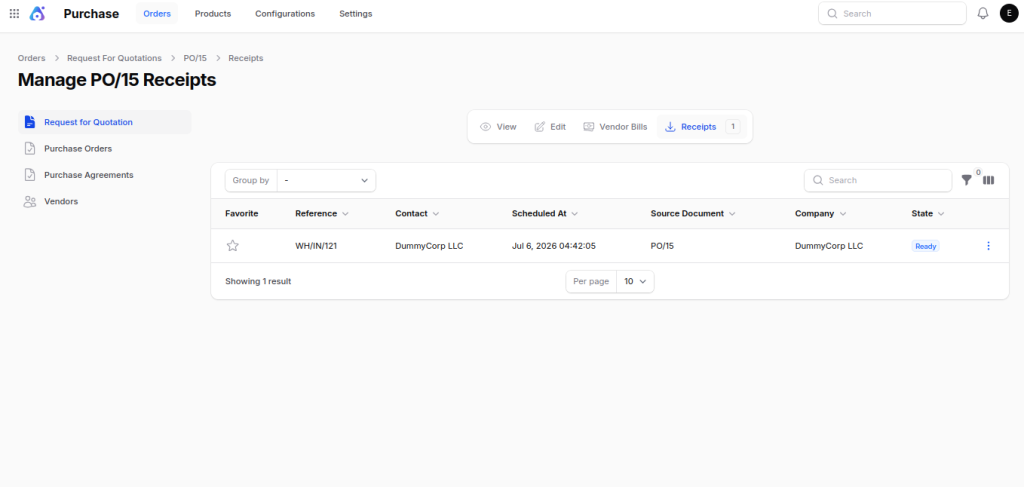
A Receipt Operation is used to bring the materials into the Input location.
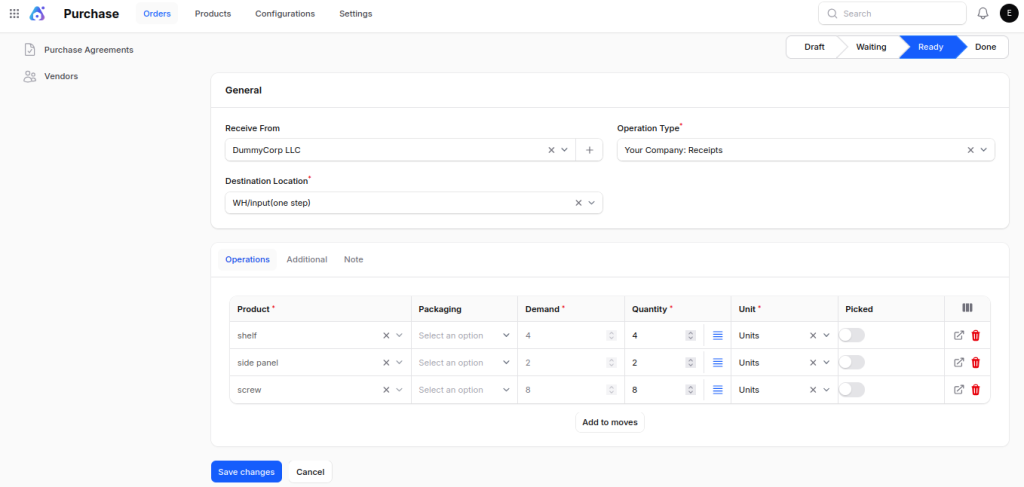
Step 4: Transfer Raw Materials to Stock
Once the materials arrive, an Internal Transfer takes place. This step uses the Internal Transfer operation type.
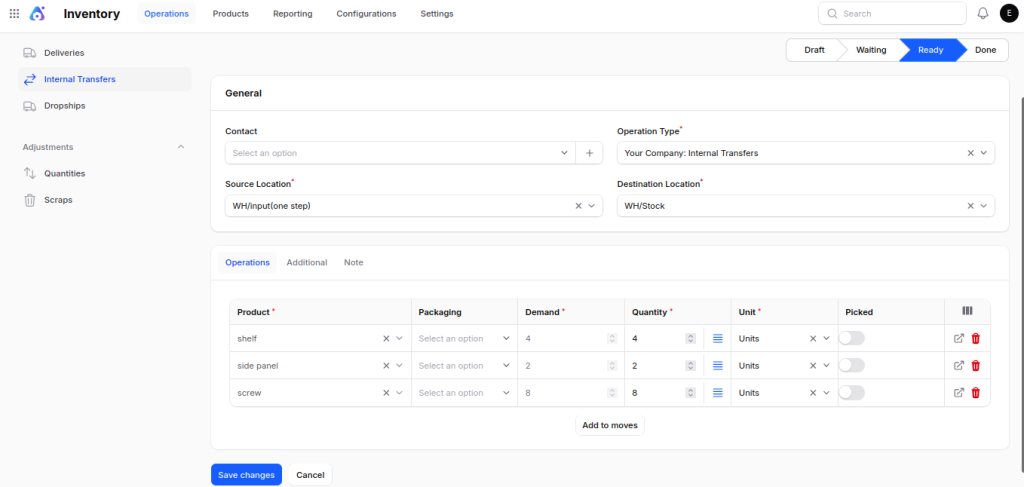
The raw materials get transported from the Input area to the Stock area. After the transfer is done, the materials can be used for manufacturing.
Step 5: Manufacture the Finished Product
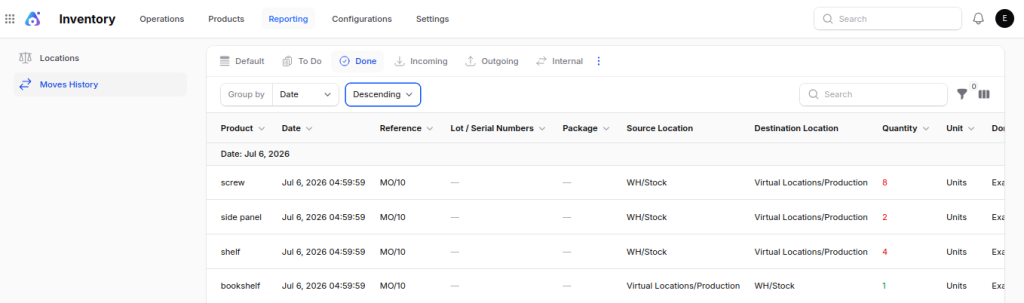
Once the raw materials get to the Stock area, the Manufacturing operation type then moves them to the Production location.

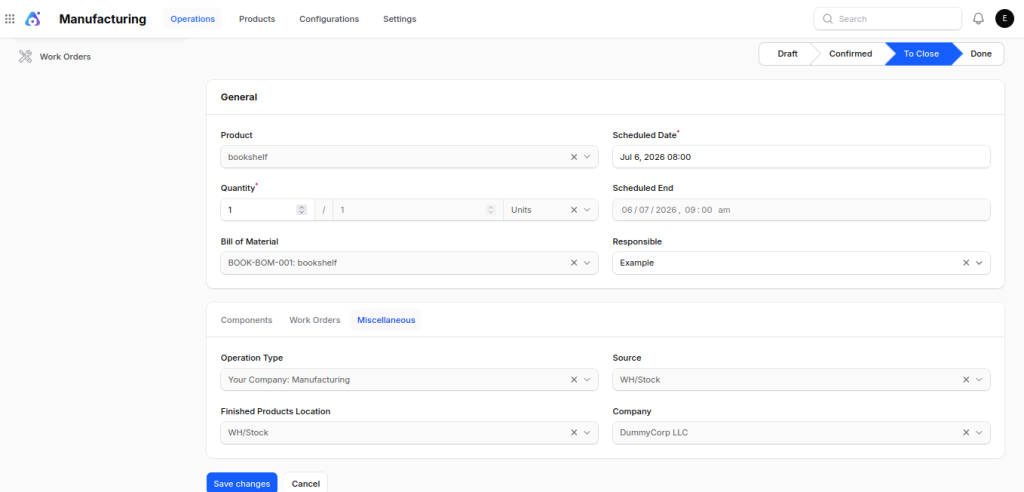
Once production is complete, the final product is taken back to the Stock area of the warehouse.

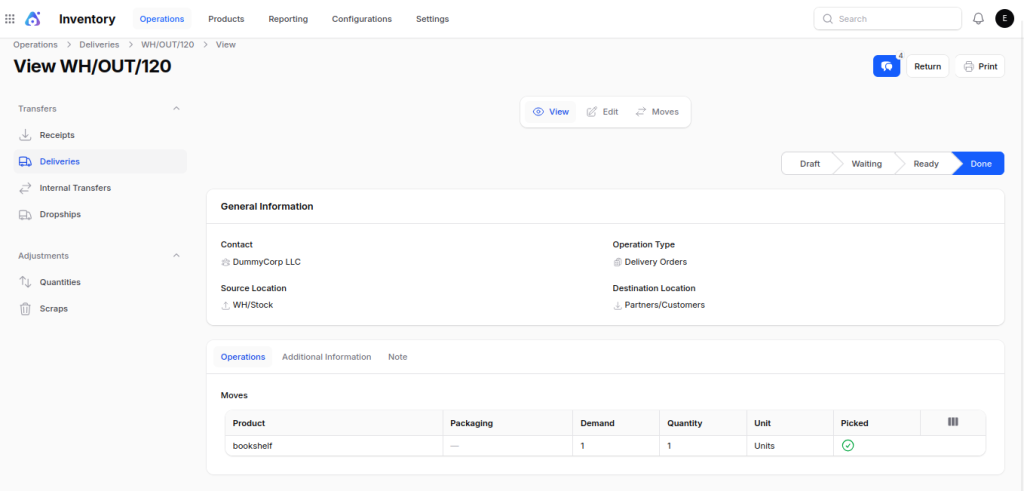
Step 6: Deliver the Finished Product
Once the finished product is in stock, we start the delivery process.
The Delivery Operation type is responsible for getting the product to the customer.

Final Words
Operation Types define how inventory moves through different stages of warehouse operations.
Operation Types make it easier to manage how stock is moved. They set up the correct locations and ways to book items. This ensures that inventory transactions stay the same.
When Operation Types are set up correctly, they help make inventory more accurate, cut down on manual work, and make managing a warehouse easier.