Internal Transfer means moving products around in your own warehouse, like shifting items from one spot to another.
This process is super important for good Inventory Management in Aureus ERP, helping you keep track of stock accurately at each location and making sure your records are correct.
Why They Matter
Warehouses are lively places where products often shift between different areas. Keeping track of these movements is important because it helps:
- Keep location accuracy
- Avoid stock errors
- Make operations smoother
Whether items are going from the Stock area to the Packing Zone, or being sent to Quality Control, these internal transfers give us the clear view we need to keep everything running efficiently.
Steps to Create a New Internal Transfer
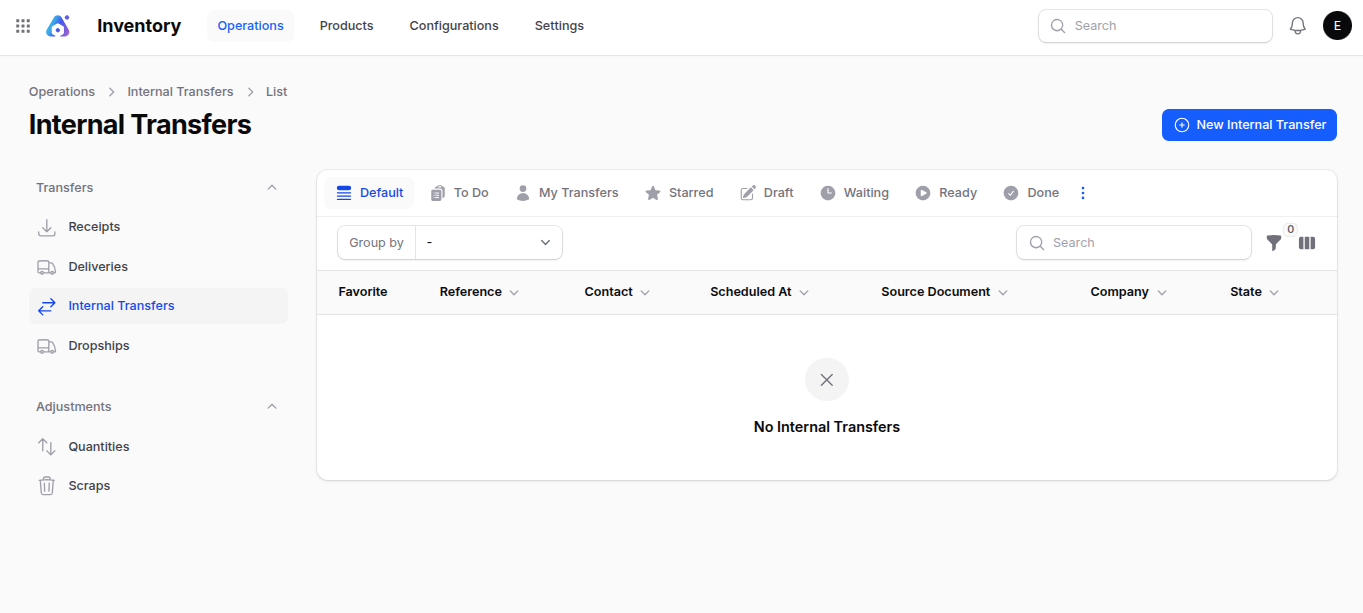
Step 1: Navigate to Inventory → Operations → Transfers → Internal Transfers as shown below:

Step 2: Fill in the following details:
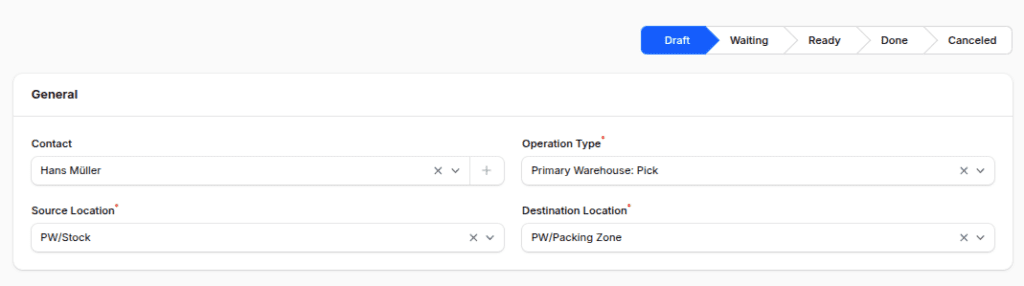
1. General Section
- Contact: Internal contact or responsible person.
- Operation Type: Preselected (e.g., Primary Warehouse: Pick).
- Source Location: Preselected source location (e.g., Primary/Stock).
- Destination Location: Preselected destination (e.g., Primary/Packing Zone).

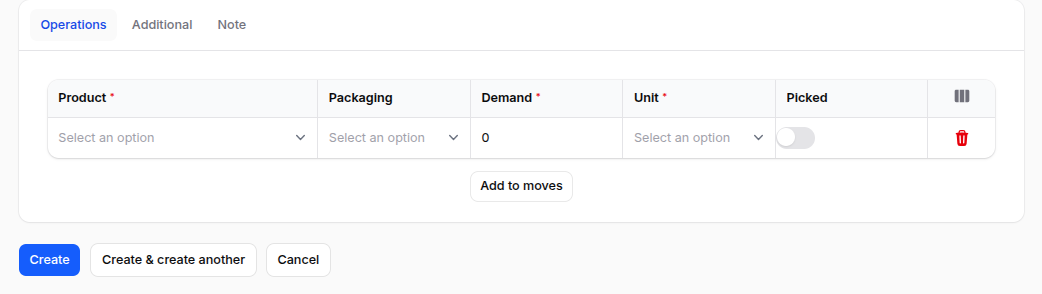
2. Operations Section
- Product: Product to move internally.
- Packaging: Choose packaging if applicable.
- Demand: Quantity to move.
- Unit: Unit of measure.
- Picked: Toggle to mark as picked.

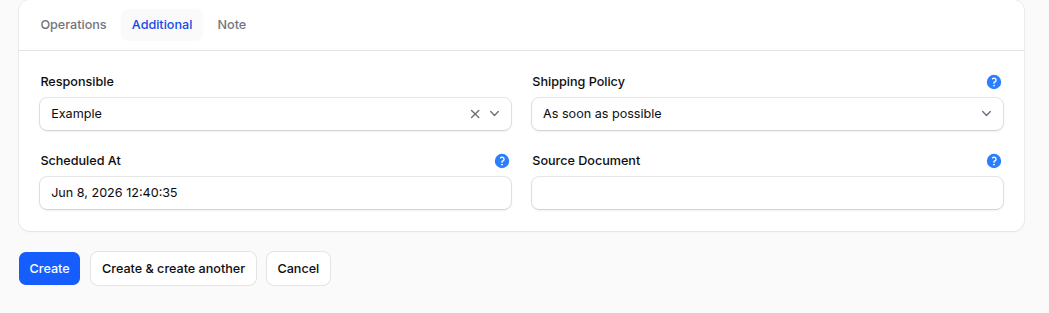
3. Additional Section
- Responsible: User managing the transfer
- Shipping Policy: You can choose from two available shipping policies:
- As soon as possible
- When all products are ready
- Scheduled At: Date for transfer
- Source Document: Add related reference

Step 3: Action Buttons:
Use the action buttons to finalize:
- Create → Save the transfer
- Create & Create Another → Save and start a new one
- Cancel → Discard the entry
Internal Transfer Workflow Steps
Once you create a transfer, you will be taken to the Internal Transfer View Page, which has the following options:

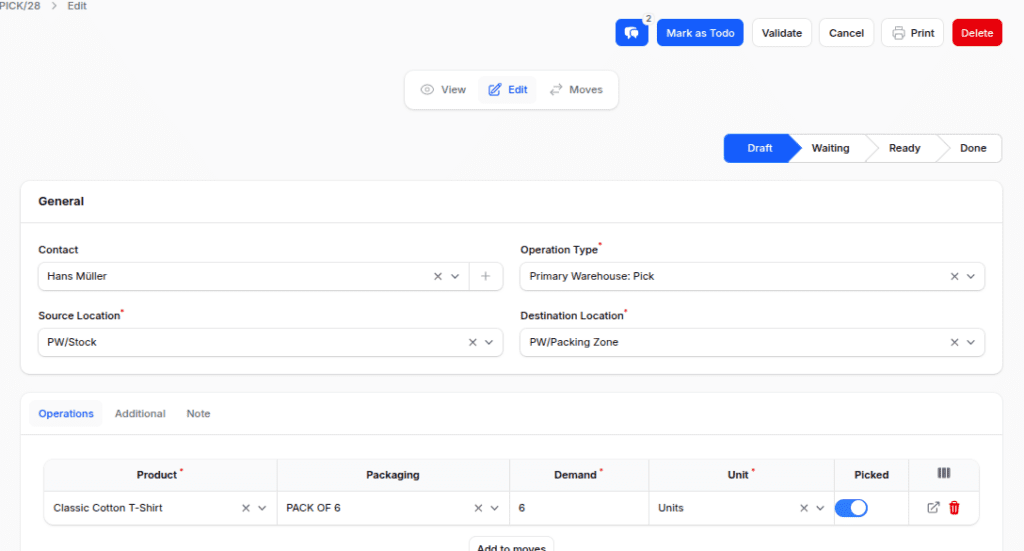
- Mark as To Do: This changes the status from Draft to Ready, checks if there is enough stock, and makes move records.

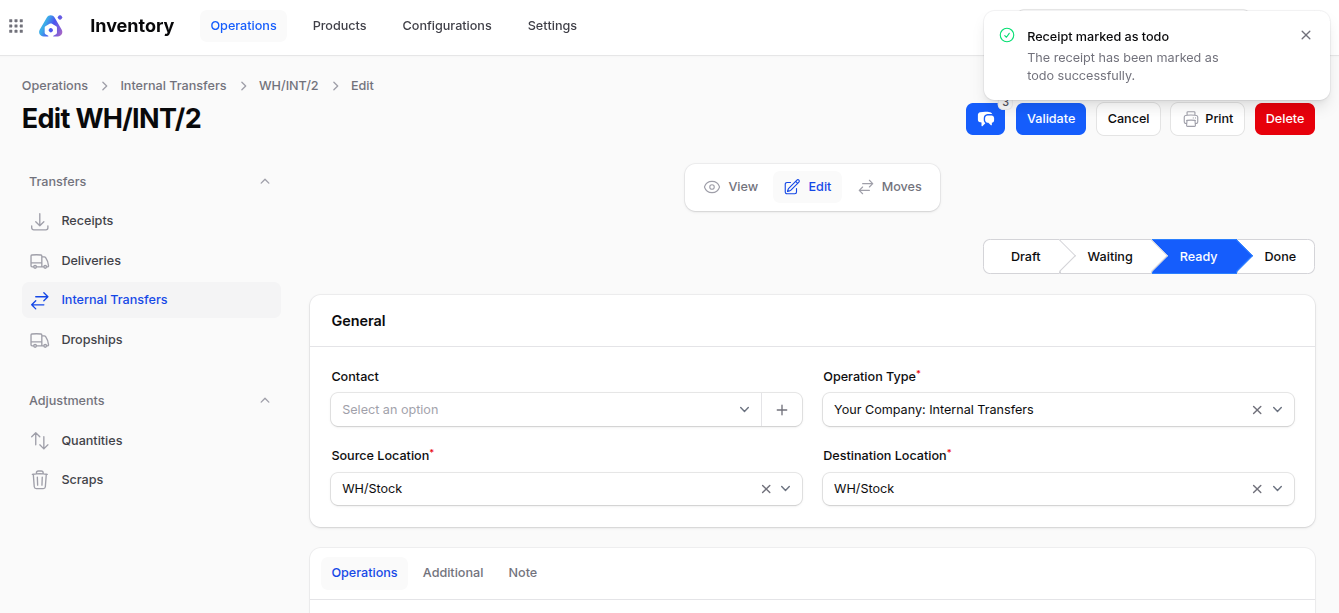
- Validate: This finishes the transfer and updates the locations (status Done).

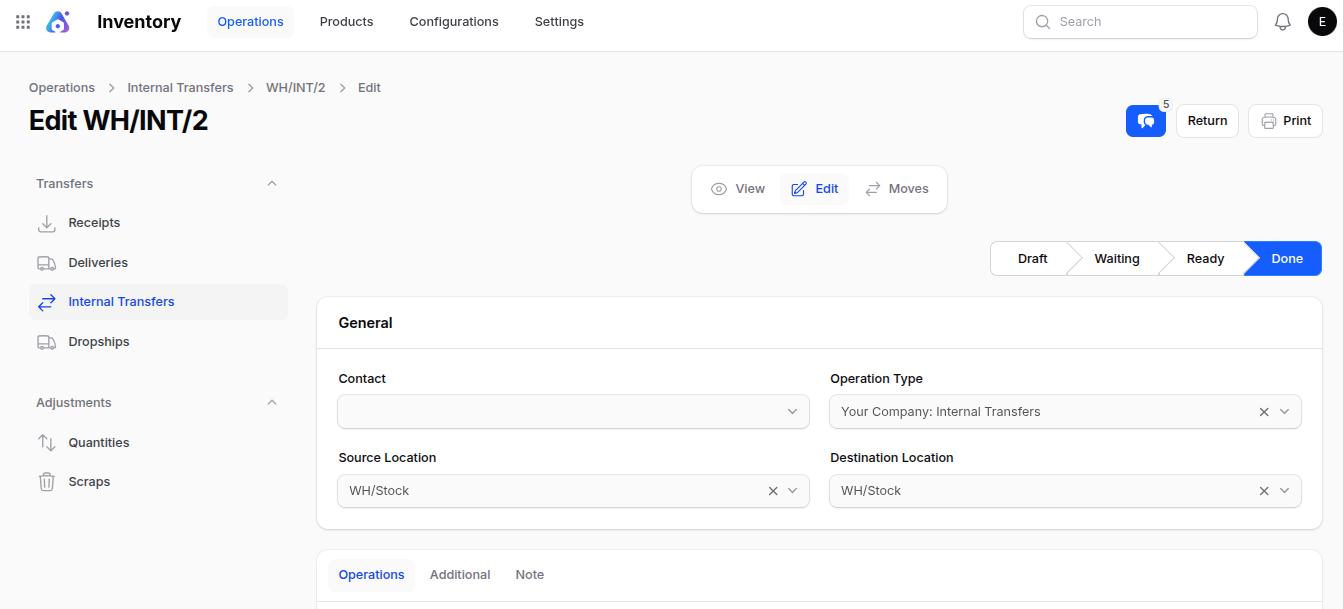
- Return: This undoes the movement (for example, moving items from the packing zone back to stock).
- Cancel / Delete: This option lets you remove or get rid of the record.
Checking the Status of Internal Transfers
To check if an Internal Transfer is done:
Step 1: Open the internal transfer record you want to check.

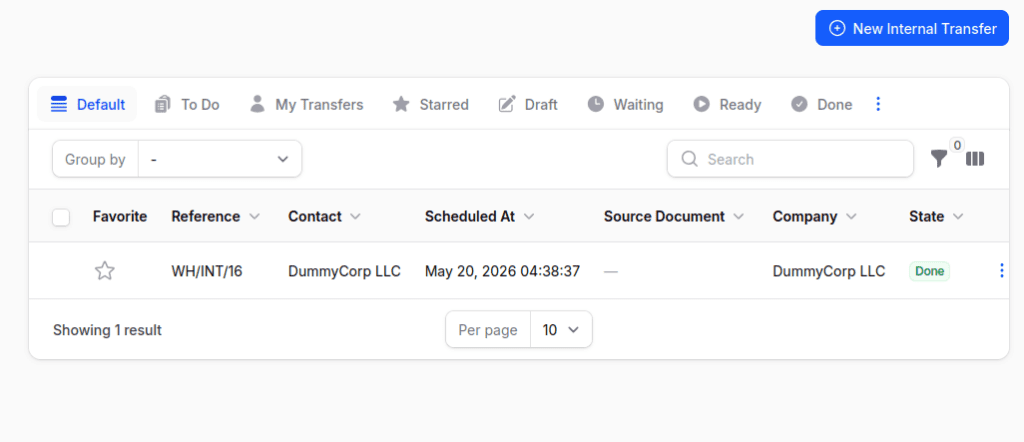
Step 2: Click the Move button.

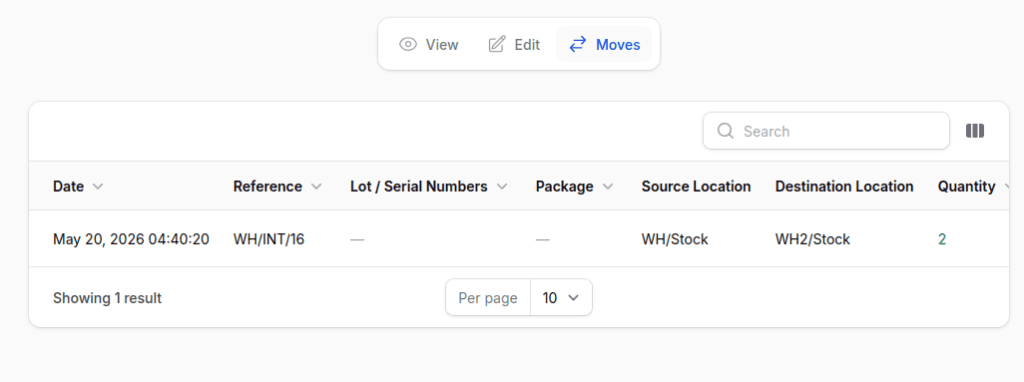
This will show the transfer records and check if the product was moved successfully.
By doing this, warehouse managers can make sure that product transfers are confirmed correctly and shown in the inventory management system of Aureus ERP.
Final Words
Internal Transfers aren’t only about moving products; they are really important for keeping inventory neat in Aureus ERP.
By tracking every move, whether it’s from stock to packing or during quality checks, you help make things clear, prevent errors, and keep warehouse operations running smoothly.
With Aureus ERP, every transfer is watched carefully, so managers can be sure that inventory records are always accurate and reliable.
In short, Internal Transfers change normal warehouse tasks into a tidy system that improves efficiency and control.