Package Types define the physical characteristics of containers such as boxes, cartons, pallets, or envelopes used to ship or store products.
By creating package types, warehouse teams can assign the right container during packing and shipment, ensuring smooth logistics and accurate tracking.
Why Package Types Matter
Using package types helps businesses:
- Consistency → Standardized containers simplify packing and shipping.
- Efficiency → Staff quickly select the right package during operations.
- Accuracy → Correct dimensions and weights prevent shipping cost errors.
- Traceability → Barcodes and company assignment ensure packages are tracked.
- Optimization → Improves warehouse space utilization and logistics planning.
Steps to Create a Package Type
1) Navigate to Inventory → Configurations → Delivery → Package Types as shown below:
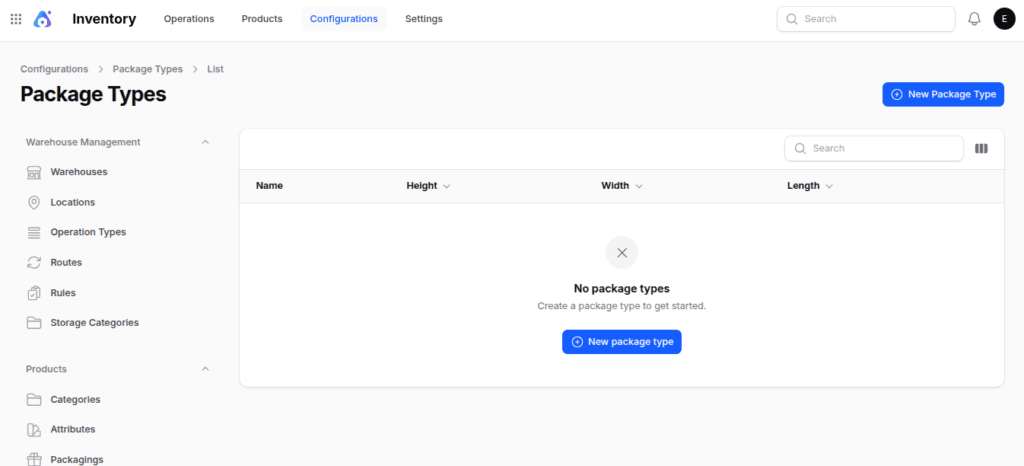
2) Fill in the following fields:
- Name: Name of the package type (e.g., Small Box, Medium Carton, Wooden Pallet)
- Size: Size label if applicable (e.g., Small, Medium, Large)
- Length: Package length measurement
- Width: Package width measurement
- Height: Package height measurement
- Weight: Default weight of the package before adding products
- Max Weight: Maximum weight the package can safely hold
- Barcode: Barcode used for scanning and tracking this package type
- Company: Select the company this package type belongs to (useful in multi-company setups)

- Action Buttons
- Create: Save the package type
- Create & Create Another: Save and start creating a new one
- Cancel: Exit without saving
Where Package Types Are Used
In Aureus ERP, Package Types play an important role in two areas of the Inventory module:
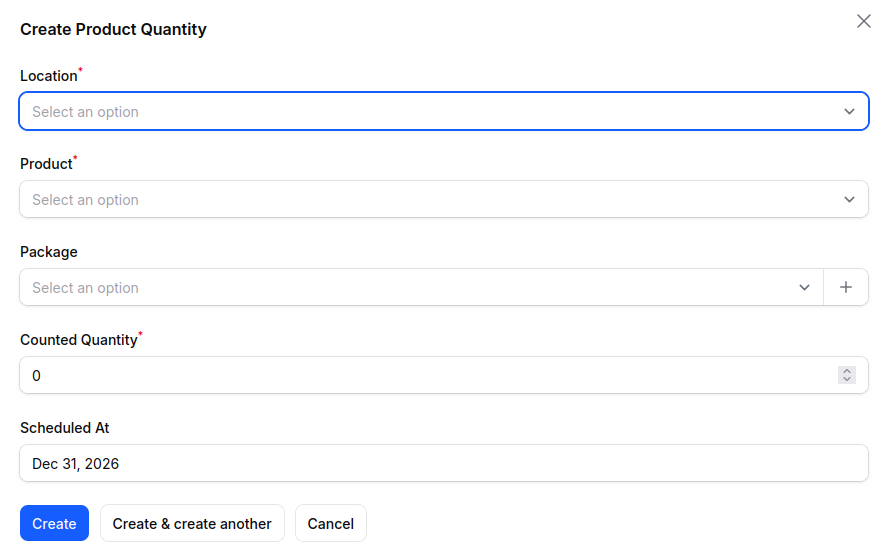
- Quantity Adjustment:- During inventory adjustments, package types help record how stock is packed, ensuring consistency in storage and reporting.
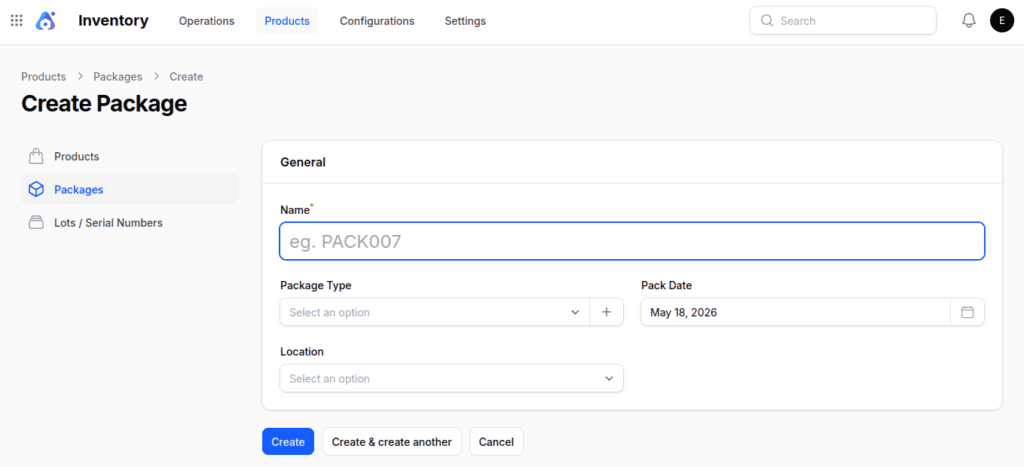
- Package Creation:-During warehouse operations, package types are applied when building boxes, cartons, or pallets, standardizing packing and tracking in Aureus ERP.
Final Words
Defining package types in Aureus ERP ensures standardized, efficient, and traceable packaging practices.
With clear attributes like dimensions, weight, barcode, and company assignment, businesses can streamline packing, shipping, and storage while optimizing warehouse operations.


Be the first to comment.