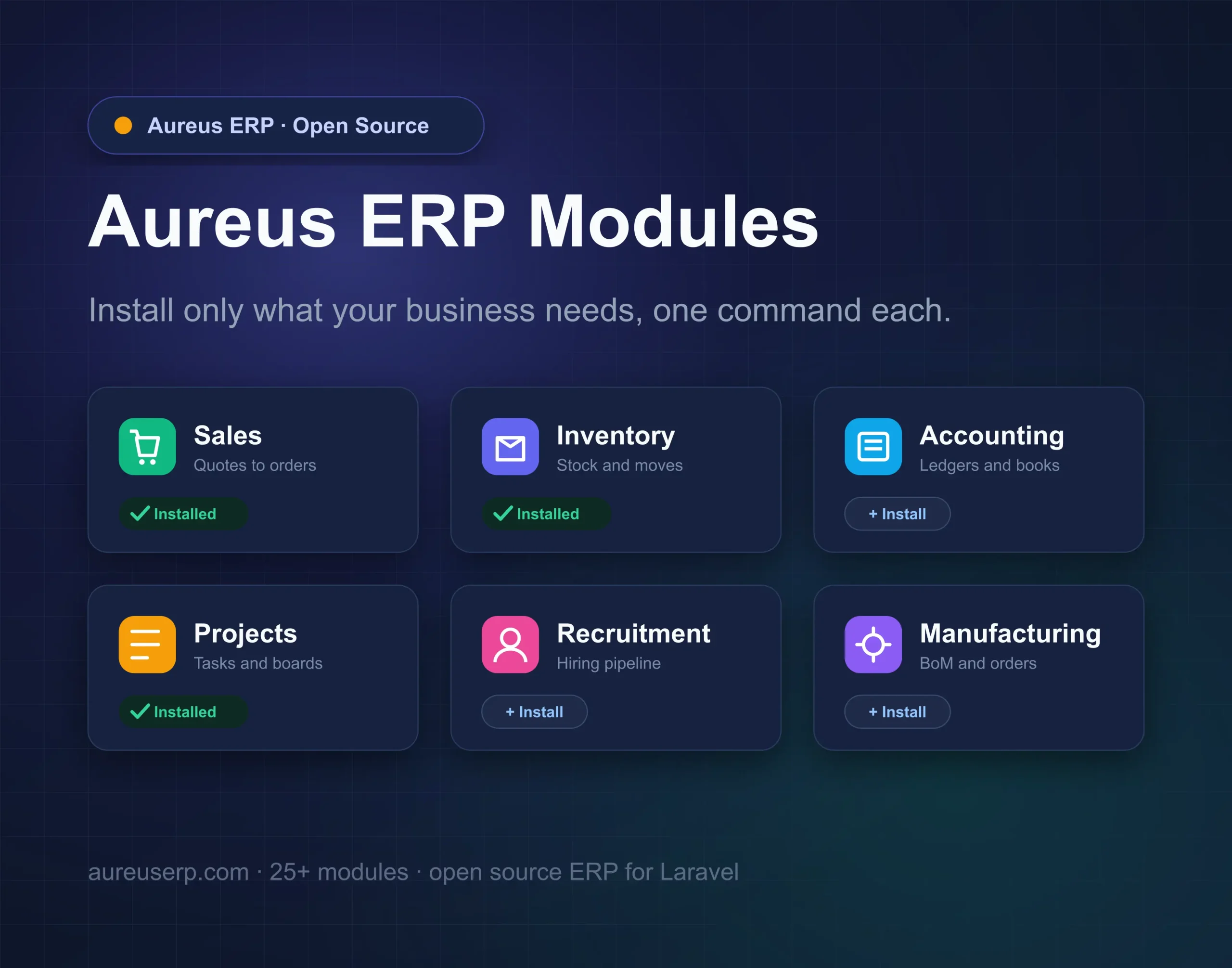
Aureus ERP modules let you build the exact system your business needs, and nothing more. You start small, then switch on new features the day you need them.
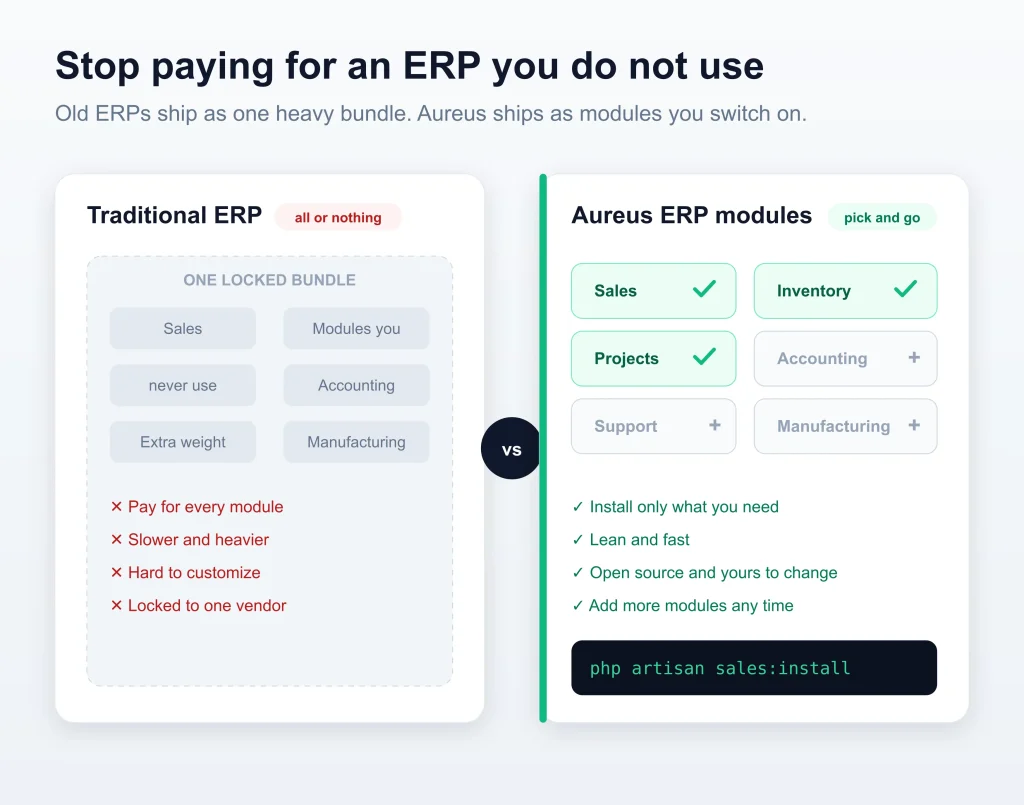
Most ERPs ship as one heavy bundle you pay for whether you use it or not. Aureus ERP takes the opposite path.
Sales, Inventory, Accounting, Projects, and more all install as separate modules. Here is how that works and why it matters.
What this blog covers
- Why the modular approach beats a monolith
- Installing a module in one command
- How dependencies install themselves
- Managing modules from the admin panel
- Setting up the whole ERP at once
- How a module is built, for developers
- Removing what you no longer need
Why the Aureus ERP modules approach wins
A small shop may only want Sales and Invoicing. A factory needs Manufacturing and Inventory at the top.
With Aureus ERP modules, you install just those pieces, so the app stays lean and fast. Everything else waits until you are ready.
It is open source, too, so each module is yours to read, extend, and adapt.
One platform, many Aureus ERP modules
Aureus ships more than 25 modules that all share one clean admin panel. They look and feel the same because they are built the same way.
You get Sales, Purchases, Inventory, Accounting, Invoicing, Projects, Employees, Recruitment, Manufacturing, Support, and more.
Install a module in one command
Each module installs with a single Artisan command. Point it at the module name and you are done.
|
1 2 3 4 5 |
# Add the Sales module php artisan sales:install # Or Inventory, Projects, Accounting, and so on php artisan inventories:install |
The module registers itself, sets up its tables, and shows up in the navigation right away.
Dependencies handled for you
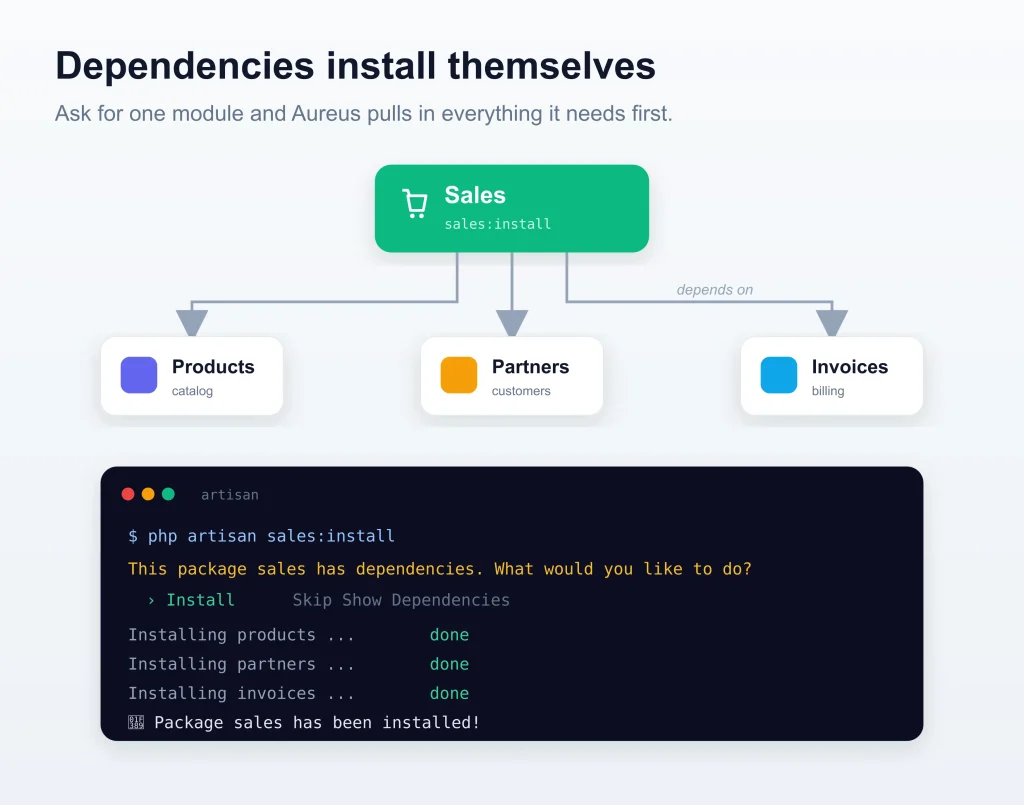
Modules often rely on each other. Sales needs Products and Partners, for example.
Ask for one module, and Aureus offers to install what it depends on first. You never chase a missing piece by hand.
|
1 2 3 4 5 6 7 8 |
$ php artisan sales:install This package sales has dependencies. What would you like to do? > Install Skip Show Dependencies Installing products ... done Installing partners ... done 🎉 Package sales has been installed! |
Manage modules from the admin panel
Prefer clicks over commands? Open the Plugins screen inside Aureus and manage everything visually.
Tabs for Apps, Extra, Installed, and Not Installed keep the catalog tidy, with live counts on each.
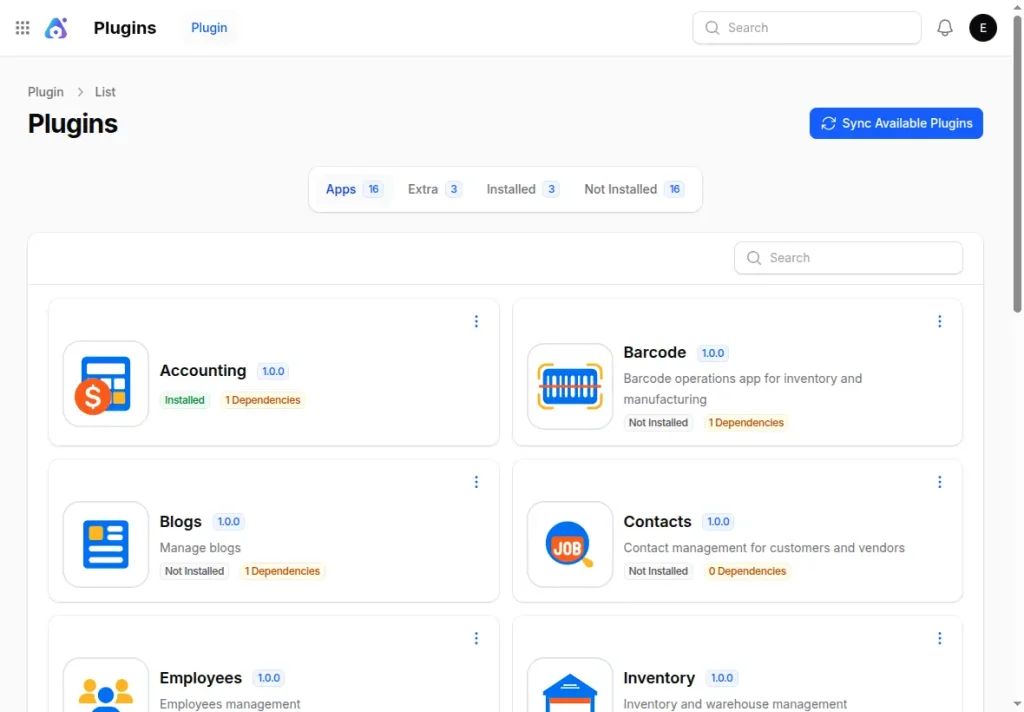
A Sync Available Plugins button reads each module and refreshes the list, so new additions appear instantly.
Set up the whole ERP at once
Starting fresh? One master command installs the core, seeds data, and creates your admin user.
|
1 2 3 4 |
php artisan erp:install \ --admin-name="Ava Stone" \ --admin-password="secret123" |
It runs the migrations, wires up roles and permissions, links storage, and marks the system as installed.
How an Aureus ERP module is built
For developers, every module is a small package with a clear, fluent setup. You declare what it needs, and Aureus does the rest.
|
1 2 3 4 5 6 7 8 9 10 |
$package ->name('inventories') ->hasDependencies('products', 'partners') ->hasInstallCommand(function ($command) { $command ->installDependencies() ->publishAssets() ->runsMigrations() ->runsSeeders(); }); |
That declaration is all it takes to make a module installable, upgradable, and removable.
What one install command runs
A single install line does a lot of careful work behind the scenes. You never have to remember the order.
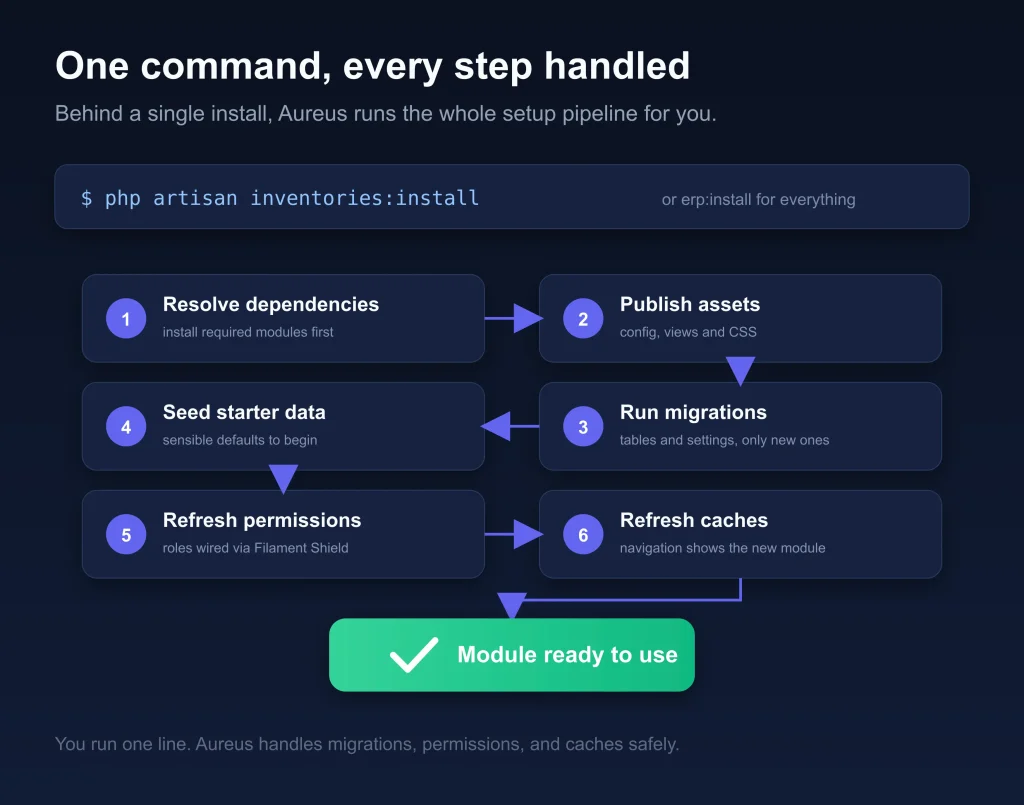
Aureus resolves dependencies, publishes assets, migrates, seeds, refreshes permissions, and clears caches. Then the module is ready.
Remove what you no longer need.
Requirements change, and Aureus bends with them. Uninstall a module from the panel or with its own command.
|
1 |
php artisan sales:uninstall |
Your system stays exactly as large as your business, never larger.
Conclusion
Aureus ERP modules turn a big, rigid platform into a set of parts you assemble to fit. Start with two modules today and add ten more next year.
You can browse the full catalog and setup guides in the Aureus developer docs.
See every module working together in the Aureus live demo, or grab the code on GitHub.
Aureus ERP is an open-source, Laravel native ERP that grows one module at a time. Build the ERP your business actually needs today.


Be the first to comment.