
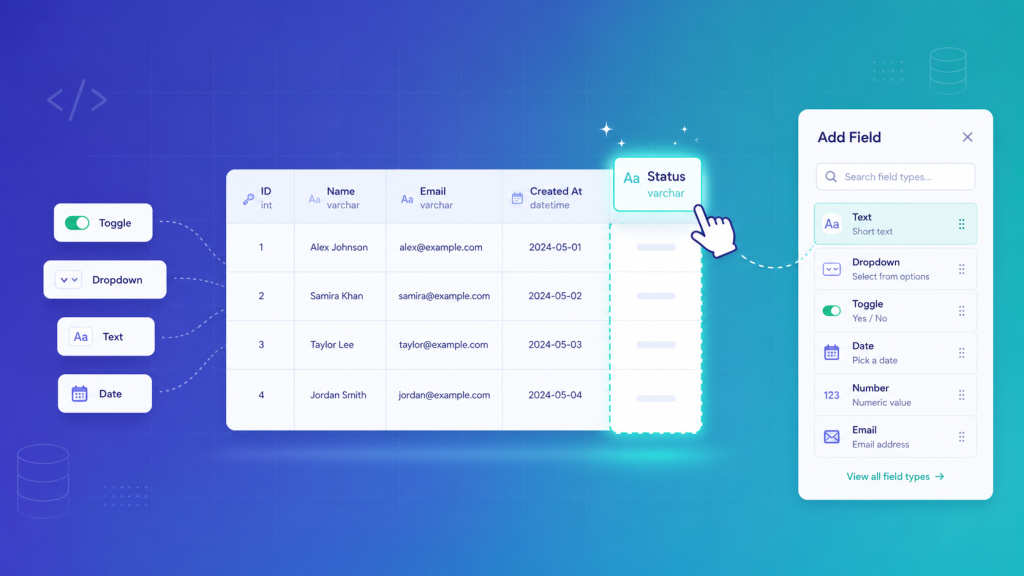
Aureus ERP is a modular ERP built on Laravel and Filament. Every business tracks slightly different data, so a fixed set of fields is never enough.
A distributor wants a “GST Number” on products. A studio wants a “Billable” toggle on tasks. This post shows how Aureus lets users add those fields themselves, with no developer and no migration.
Key takeaways
- Filament schemas are hardcoded in PHP, so end users cannot add fields.
- Aureus adds a real database column at runtime, not a JSON or EAV bag.
- A model trait extends $fillable and $casts at runtime so Eloquent sees the new field.
- Four Filament components render the field in the form, table, infolist, and filters.
- 21 models already opt in, including Orders, Products, Projects, Tasks, and Employees.
The problem: a fixed schema cannot fit every business
In Filament, a form is defined in code. A developer lists each field in a resource’s form() method.
That is fine until a customer needs a field you did not ship. In an ERP this happens constantly, across products, orders, and contacts.
The old answer was “raise a ticket, we will add a migration and deploy”. That is slow, and it does not scale to hundreds of customers who each want something different.
So the goal was clear. Let a user define a new field from the admin panel, and have it behave like any built-in field everywhere.
Why not a JSON column or EAV table?
The common shortcut is to dump custom values into one JSON column, or into an EAV (entity-attribute-value) table.
Both work, but both hurt later. Filtering, sorting, and reporting on a JSON blob or an EAV join is slow and awkward.
Aureus took the opinionated route: create a real, typed column for each custom field. You keep native indexing, filtering, and sorting, at the cost of running schema changes at runtime.
How it works: three layers
The design has three parts: a definition, a real column, and the code that makes Eloquent and Filament aware of it.
Layer 1: the field definition
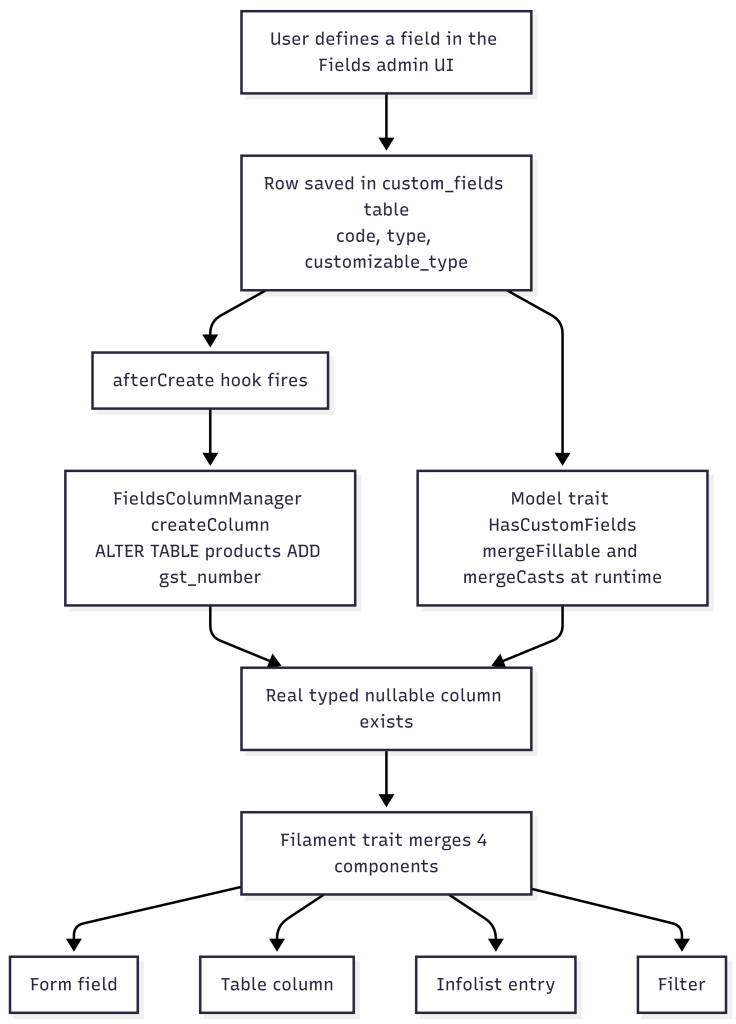
When a user creates a field, a row is saved in the custom_fields table. The Field model describes it:
|
1 2 3 4 5 6 7 8 9 10 11 12 |
$table->string('code'); // 'gst_number' -> becomes the column name $table->string('name'); // 'GST Number' -> the label $table->string('type'); // text, select, toggle, checkbox_list... $table->string('input_type'); // integer, numeric... $table->boolean('is_multiselect'); $table->json('options'); // for select / radio $table->json('form_settings'); $table->boolean('use_in_table'); $table->json('table_settings'); $table->json('infolist_settings'); $table->string('customizable_type'); // e.g. Webkul\Sale\Models\Order $table->unique(['code', 'customizable_type']); |
The important column is customizable_type. It says exactly which model this field belongs to.
Layer 2: creating the real column at runtime

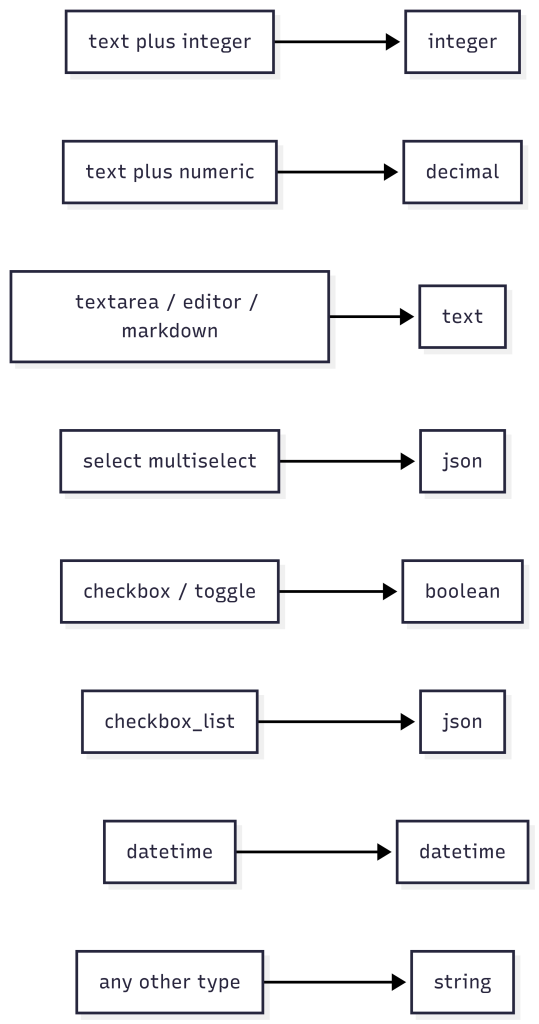
This is the part most people do not expect. A FieldsColumnManager runs a live schema change when a field is saved:
|
1 2 3 4 5 6 7 8 9 10 |
public static function createColumn(Field $field): void { $table = static::getTableName($field); // resolve model -> table Schema::table($table, function (Blueprint $table) use ($field) { if (Schema::hasColumn($table->getTable(), $field->code)) { return; } static::addColumn($table, $field); }); } |
It also chooses the correct column type from the field’s type:
|
1 2 3 4 5 6 7 |
'text' => integer | decimal | string // based on input_type 'textarea','editor','markdown' => 'text' 'select' => $field->is_multiselect ? 'json' : 'string' 'checkbox','toggle' => 'boolean' 'checkbox_list' => 'json' 'datetime' => 'datetime' 'default' => 'string' |
Every custom column is created as nullable(). There are matching updateColumn() and deleteColumn() methods, so deleting a field drops its column.
This runs automatically when the field is saved. The Fields admin page calls the manager in its lifecycle hooks:
|
1 2 3 4 5 |
// CreateField page protected function afterCreate(): void { FieldsColumnManager::createColumn($this->record); } |
|
1 2 3 4 5 |
// EditField page protected function afterSave(): void { FieldsColumnManager::updateColumn($this->record); } |
The result: create a “GST Number” field on Products, and a real gst_number column appears on the products table, at runtime.
Layer 3: teaching Eloquent and Filament about the field
A new column is useless if Eloquent does not know about it. A model trait, HasCustomFields, hooks the model lifecycle:
The casts are type-aware, so a multi-select becomes an array, a toggle becomes a boolean, and so on.
On the UI side, four Filament components carry the field through the whole panel: a form field, a table column, an infolist entry, and a filter. A resource merges them into its own schema using a companion trait.
Putting it together: a real example
Here is exactly how the Projects module wires this up. It takes two small changes.
1. Add the model trait to make the Project model custom-field aware:
|
1 2 3 4 5 6 |
use Webkul\Field\Traits\HasCustomFields; class Project extends Model { use HasCustomFields; // extends $fillable and $casts at runtime } |
2. Add the Filament trait to the resource, then merge custom fields into the form, table, and infolist:
|
1 2 3 4 5 6 7 8 9 10 11 12 13 14 15 16 17 18 19 20 21 22 23 24 25 26 27 28 29 30 31 32 33 34 35 |
use Webkul\Field\Filament\Traits\HasCustomFields; class ProjectResource extends Resource { use HasCustomFields; public static function form(Schema $schema): Schema { return $schema->components([ Section::make('Additional') ->schema(static::mergeCustomFormFields([ Select::make('user_id')->relationship('user', 'name'), // ...your normal fields ])), ]); } public static function table(Table $table): Table { return $table->columns(static::mergeCustomTableColumns([ TextColumn::make('name'), // ...your normal columns ])); } public static function infolist(Schema $schema): Schema { return $schema->components([ Section::make('Additional') ->schema(static::mergeCustomInfolistEntries([ TextEntry::make('user.name'), // ...your normal entries ])), ]); } } |
That is all. Every merge helper accepts include() and exclude() arrays, so you can choose which custom fields appear where.
From now on, any field a user defines for Projects shows up automatically in the form, table, and infolist, with no further code.
You don’t have to build this from scratch. The same implementation is packaged as the Aureus ERP Custom Fields plugin for Filament.
The full flow

Challenges and how they are handled
- Running schema changes at runtime. Creating a field alters a live table, so the code guards every step with Schema::hasTable() and hasColumn() to stay idempotent.
- Deleting data. Removing a field drops its column, which drops its data. That is intentional, but worth a clear warning in the UI.
- Keeping Eloquent in sync. Fillable and casts must reflect fields that did not exist at boot, which is why the trait merges them on every retrieve, create, and update.
- Performance. The field list is cached in a static property per class, so it is not re-queried for every model instance in a request.
- Typed columns over a JSON bag. Real columns cost a live migration, but they buy native filtering, sorting, and reporting that a JSON or EAV approach cannot match.
Benefits
- No migration, no deploy. A user adds a field from the admin panel in seconds.
- Real columns. Custom fields filter, sort, and report exactly like built-in ones.
- Works on any model. Add the trait and the field targets that model through customizable_type.
- Everywhere in the UI. One definition renders across the form, table, infolist, and filters.
- Already proven. 21 models use it, including Orders, Products, Projects, Tasks, and Employees.
Frequently asked questions
Does Filament support custom fields out of the box?
No. Filament schemas are defined in PHP by developers. There is no built-in way for an end user to add a field at runtime.
Aureus adds this with a field definition, a runtime column, and components that render it.
Are custom field values stored in JSON or in real columns?
Real columns. Each custom field gets its own typed, nullable column on the model’s table.
This keeps filtering, sorting, and reporting fast and native.
Can I add a custom field to any model?
Any model that uses the HasCustomFields trait. The field targets that model through its customizable_type.
Final thoughts
Filament’s static schemas are the right default for developers, but an ERP has to bend to each customer’s data.
Aureus closed that gap by treating a custom field as a first-class column: defined by the user, created at runtime, understood by Eloquent, and rendered by Filament. The trade is a live schema change for a field that behaves exactly like any other, everywhere it appears.
Want to see how Aureus ERP can adapt to your data? Tell us about your company and we will walk you through it.
Further reading: Aureus ERP Custom Fields plugin, Laravel schema and migrations, Eloquent casting