Aureus ERP offers adaptable outgoing shipments that let companies select the delivery method that fits their warehouse activities the best.
Good Inventory Management isn’t just about getting products in; it’s also about having a neat shipping process.
Depending on how complicated your warehouse is and what you need for order fulfillment, you can select from One Step, Two Step, or Three Step Delivery methods for sending out shipments.
Setting Up Outgoing Shipment Steps
Before you can use the One Step, Two Step, or Three Step delivery methods, you need to set up your warehouse settings.
Step 1: Enable Required Features
Navigate to: Inventory → Settings → Manage Warehouses
Enable the following options:
- Locations
- Multi-Step Routes


After you turn on these settings, make sure to click Save.
Aureus ERP has features that let it set up intermediate locations and manage internal transfers needed for more complex delivery processes.
Step 2: Configure the Warehouse
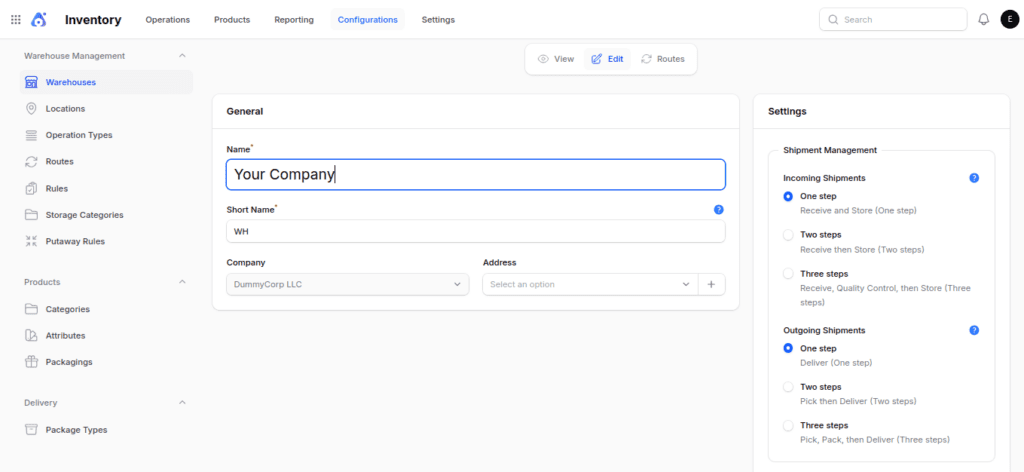
Navigate to: Inventory → Configuration → Warehouses
You can either open a warehouse that already exists or set up a brand new one.
In the Outgoing Shipments area, pick one of the options below:
- Ship products directly (One Step)
- Pick and then deliver (Two Steps)
- Pick + Pack + Ship products (Three Steps)

One Step Delivery
In the One Step Delivery process, the warehouse sends items straight to the customer all at once.
Flow: Stock → Customer
Example:
A customer orders 100 notebooks.
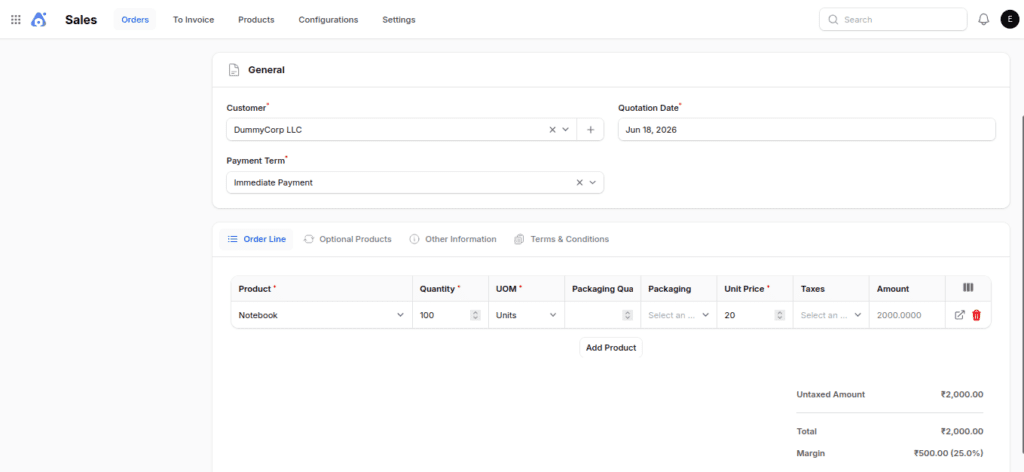
Once you confirm the sales order:
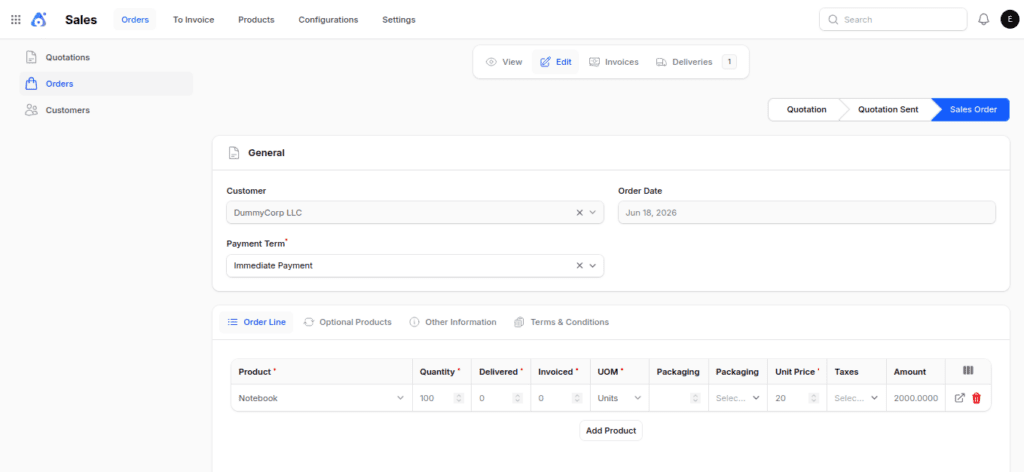
1. Aureus ERP creates a delivery order.
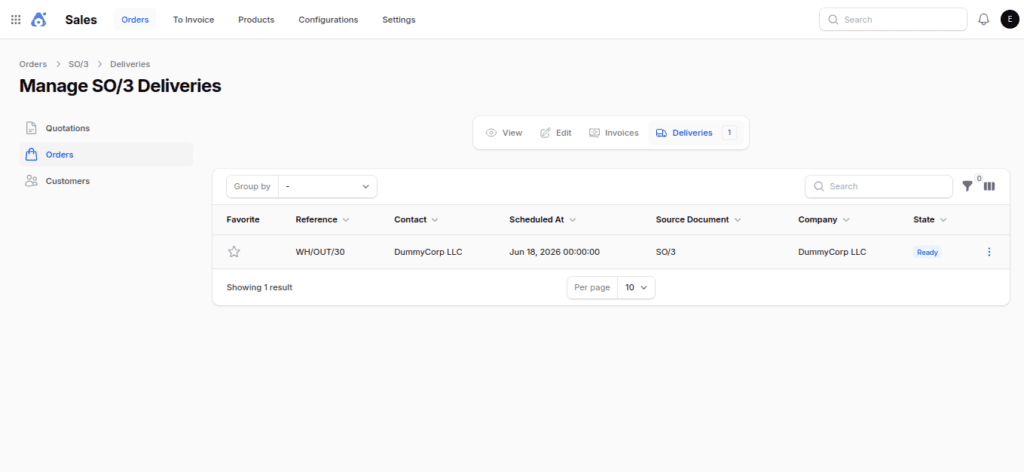
2. The worker in the warehouse gets the products ready.
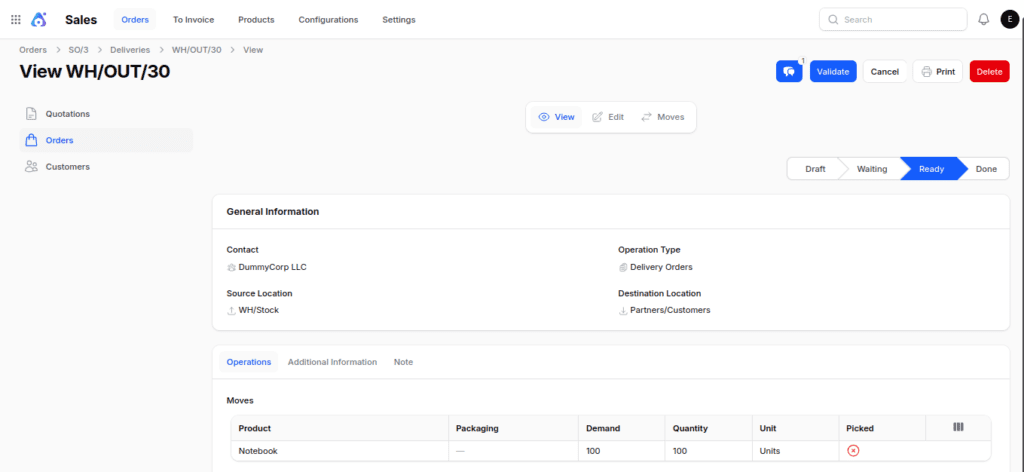
3. The shipping team confirms the delivery.
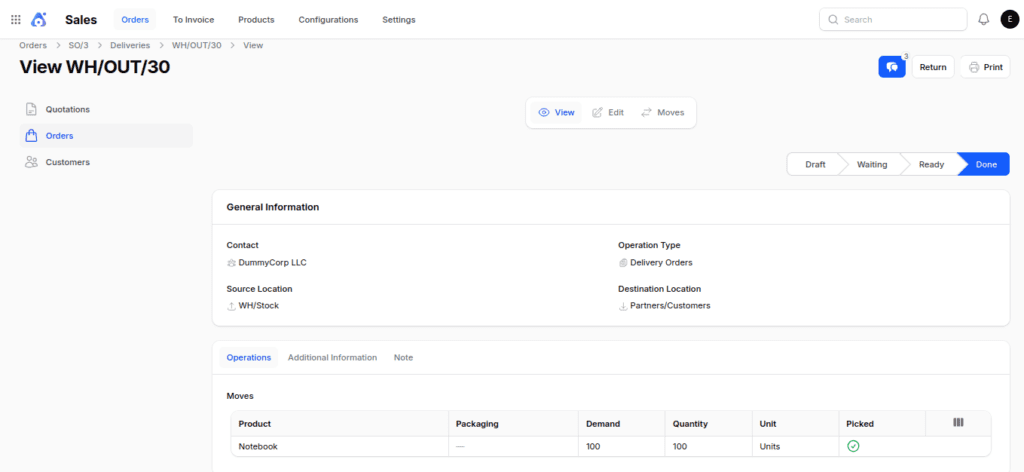
4. Aureus ERP removes the goods from inventory and ships them to the buyer.
When to Use One Step Delivery
This method is ideal for:
- Small warehouses
- Companies that have easy shipping processes
- Few items ordered
- Businesses that don’t need different steps for picking or packing.
Two Step Delivery
In the Pick + Ship process, warehouse staff first pick items from storage and move them to an output area before shipping them to the customer.
Automatically Created Components
When you turn on this option in Aureus ERP, the system will automatically set up the necessary warehouse configuration.
Location
WH/Output: This is a place where orders sit until they can be sent out.


Operation Types
Pick
- Source: WH/Stock
- Destination: WH/Output


Route & Rules: Your Company: Deliver in 2 Steps (Pick + Ship)

Flow: Stock → Output Location → Customer
Example:
A customer orders 100 notebooks.

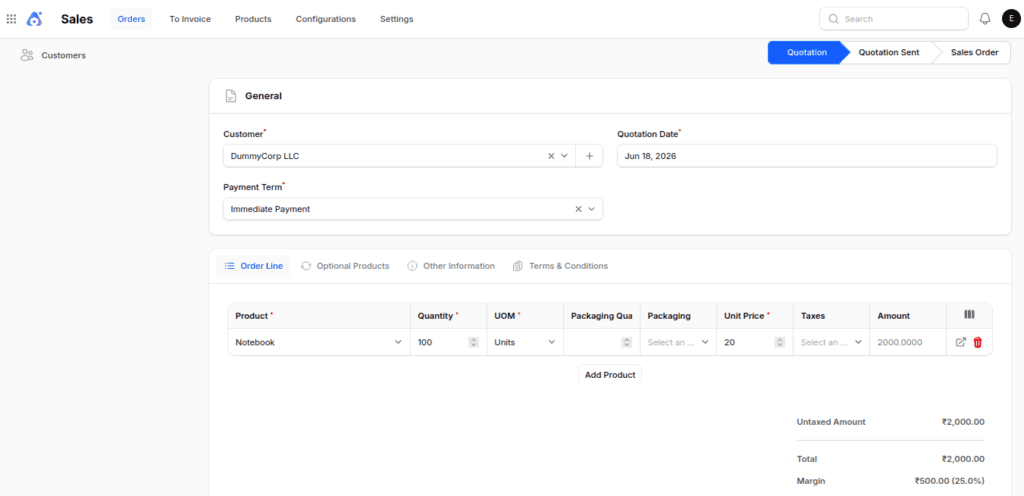
1. The team in the warehouse pick the items from the inventory.
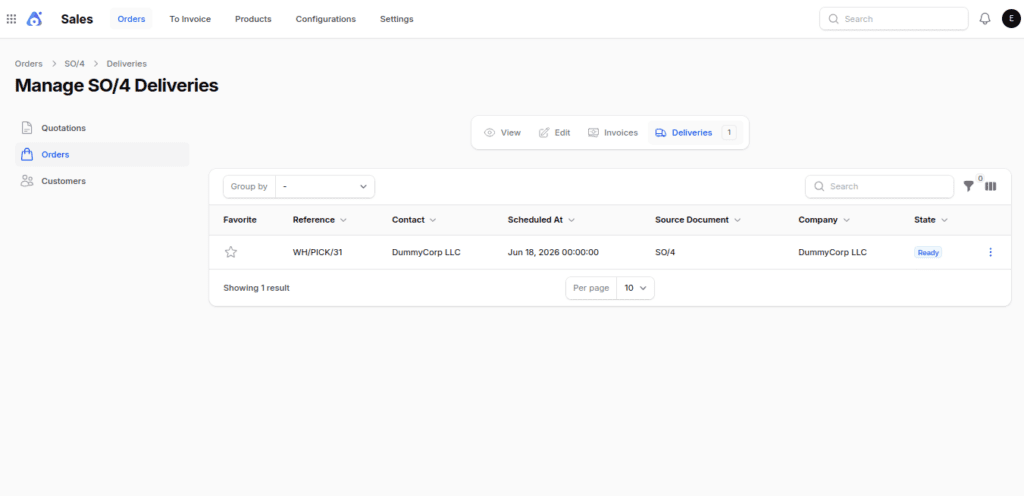
2. Items are moved to the Output Location.
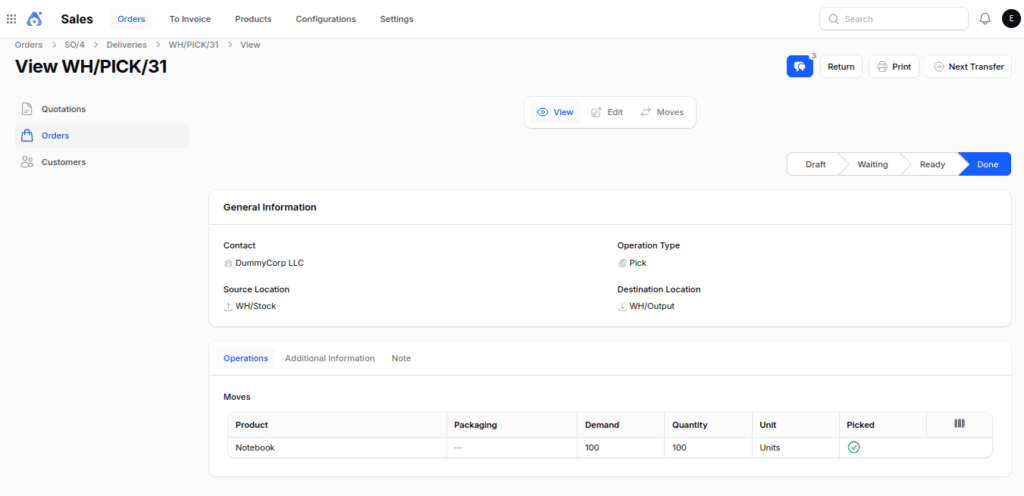
3. Press the Next Transfer button to see the delivery order.


4. Make sure the delivery transfer is valid.

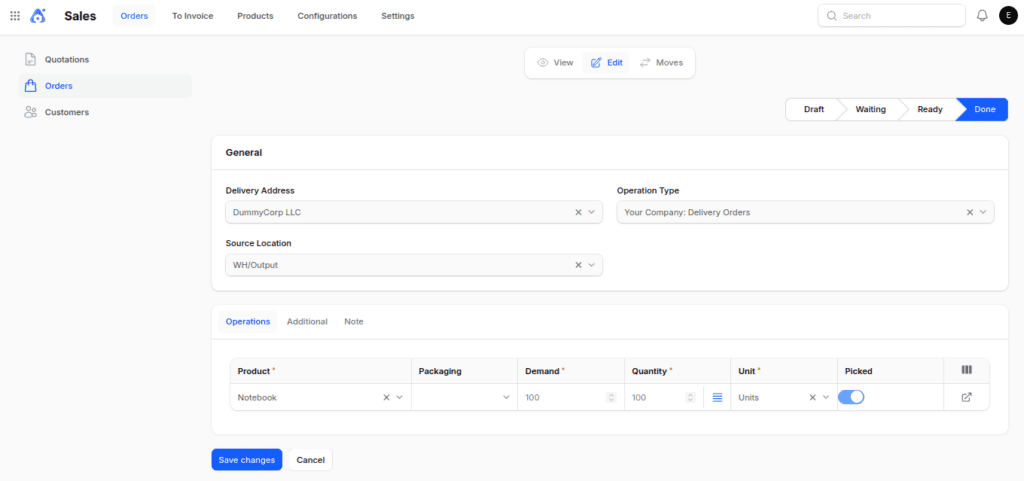
5. Products are sent out to the client.


When to Use Two Step Delivery
This method is suitable for:
- Medium-sized warehouses
- Businesses processing many orders on a daily basis
- Warehouses that have special teams for picking and shipping
- Activities that require designated spaces for preparing shipments
Three Step Delivery
The Three Step Delivery process gives you the most control by breaking down the tasks of picking, packing, and shipping.
Automatically Created Components
When you turn on Three Step Delivery in Aureus ERP, the system automatically sets up the required warehouse configuration.
Locations
WH/Packing Zone: This is the space where items are packed and readied for shipping.
WH/Output: A place where finished shipments wait to be sent out.


Operation Types
Pick
- Source: WH/Stock
- Destination: WH/Pack
Pack
- Source: WH/Pack
- Destination: WH/Output


Route & Rules: Your Company: Deliver in 3 Steps (Pick + Pack + Ship)
Flow: Stock →Pack → Output → Customer
Example:
A customer orders 100 notebooks.

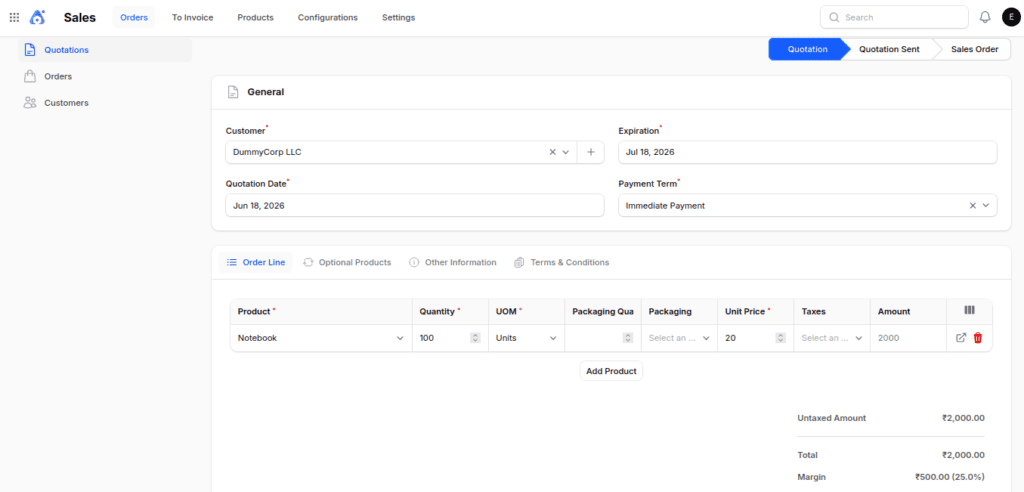
1. Items are pick from the storage area.
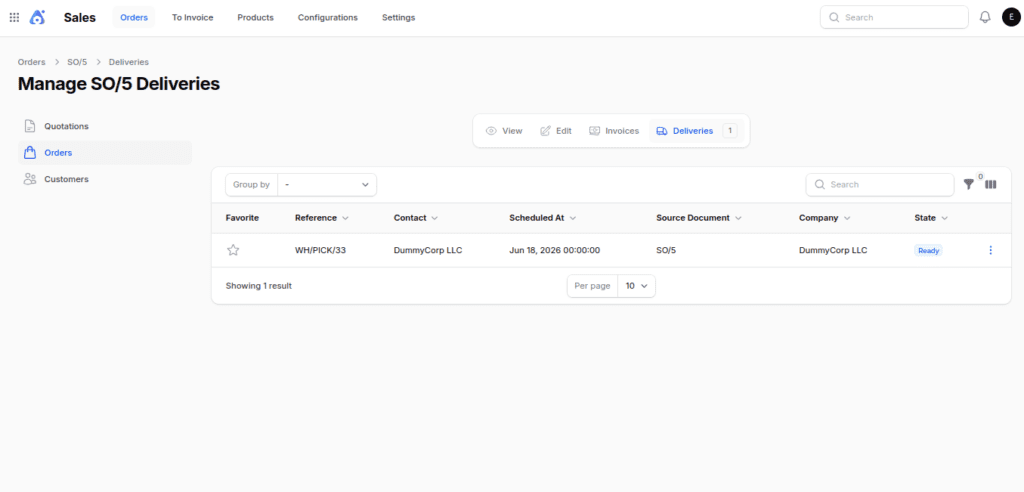
2. The selected items are taken to the packing area, where the Warehouse staff pack and check the order.
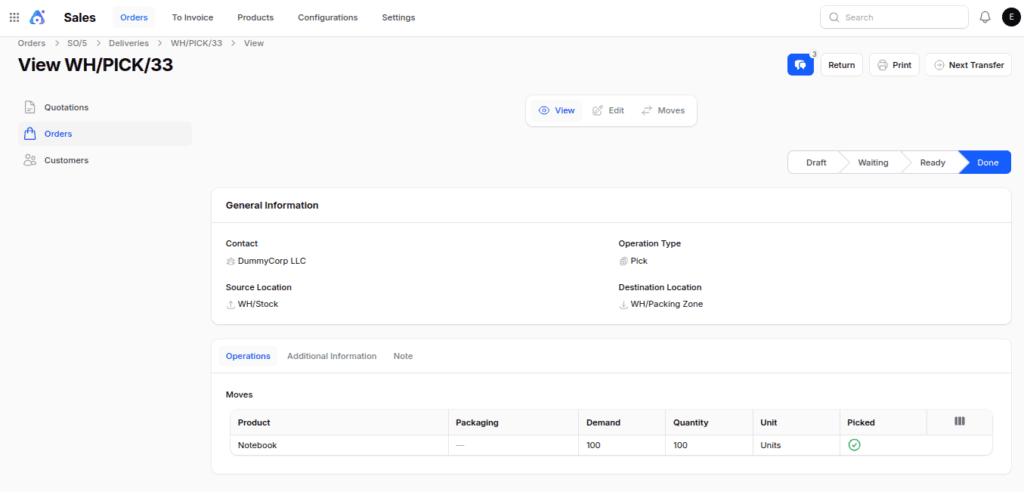
3. Packed items are moved to the output section.
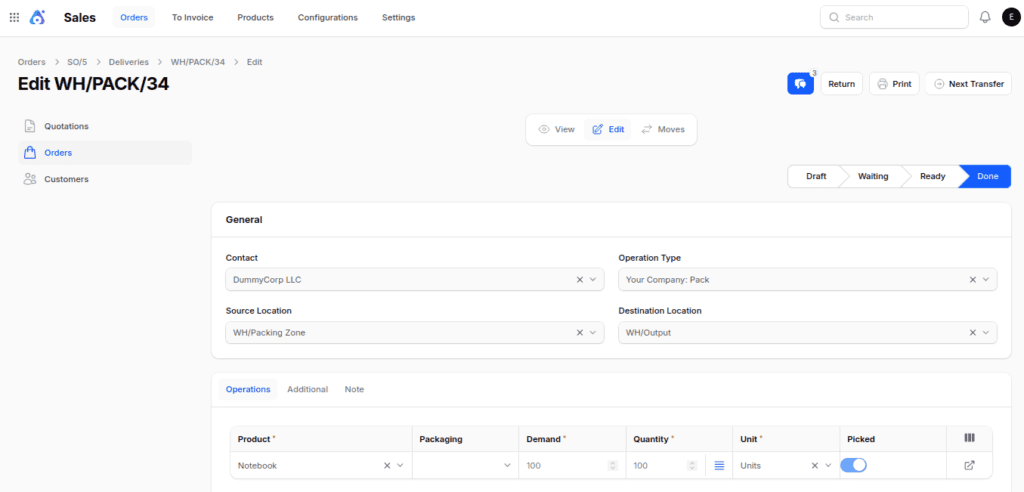
4. The shipping team confirms the delivery order.
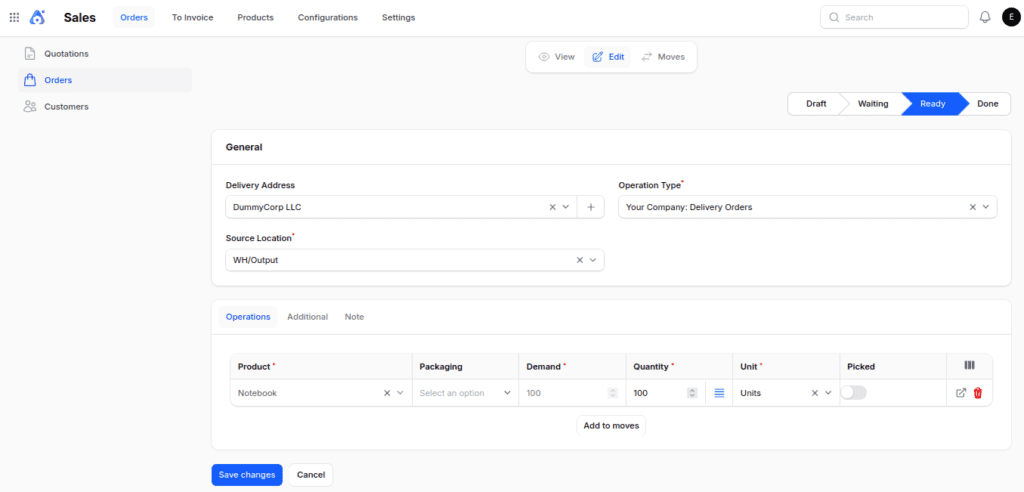
5. The goods are delivered to the customer.

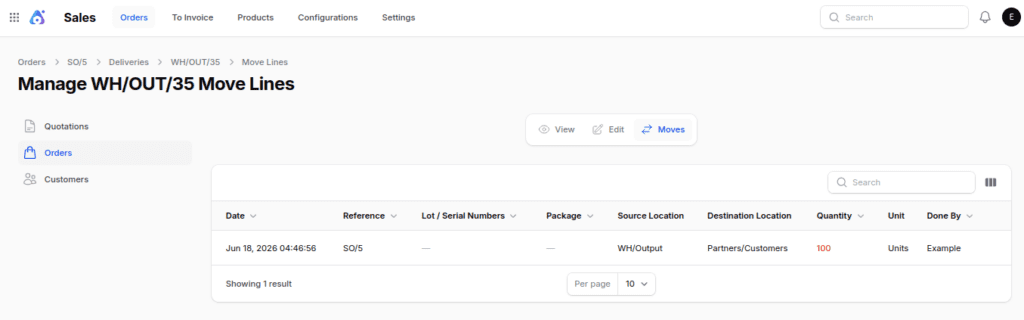
This method guarantees that orders are filled correctly and reduces mistakes in shipping.
When to Use Three Step Delivery
This workflow is recommended for:
- Large warehouses
- Businesses that manage large amounts of orders
- Activities that demand strict packing and shipping regulations
Final Words
Choosing the best way to ship outgoing orders depends on how your warehouse works and what you need for fulfilling orders:
- One Step Delivery is great for quick and easy shipping methods.
- Two Step Delivery makes warehouse organization better by dividing product preparation from shipping.
- Three Step Delivery gives you the most control by having separate stages for picking, packing, and shipping.
Aureus ERP allows companies to set up their outgoing shipments process in a way that works best for them.
This helps make orders more accurate, boosts warehouse efficiency, and guarantees a smooth delivery experience for customers.