Aureus ERP offers adaptable incoming shipments processes that let companies select the receiving method that best fits their warehouse activities.
Good Inventory Management begins with a tidy receiving process.
Based on how complicated your warehouse is and what quality control you need, you can handle incoming shipments with One, Two, or Three Step Receipts.
Setting Up Incoming Shipment Steps
Before you start using One Step, Two Step, or Three Step receipts, make sure to set up your warehouse settings.
Step 1: Turn on Necessary Features
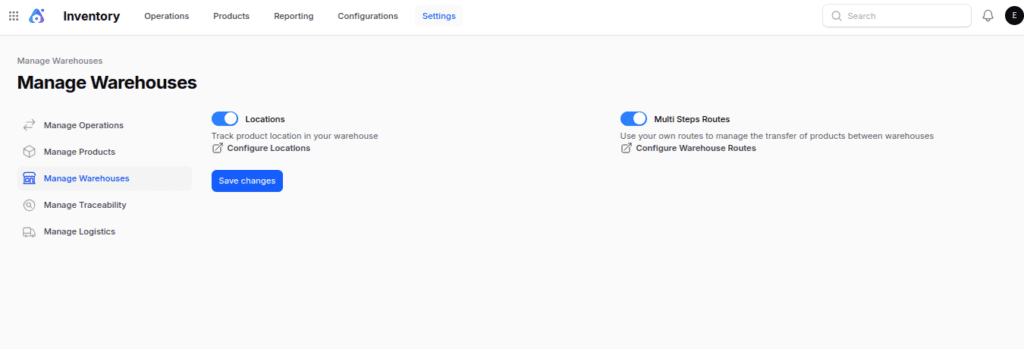
Navigate to: Inventory → Settings → Manage Warehouses
Activate the following settings:
- Locations
- Multi-Steps Routes
After you activate these features, don’t forget to hit Save.
These settings help Aureus ERP to set up temporary locations and manage the transfers needed for more complex receiving processes.

Step 2: Configure the Warehouse
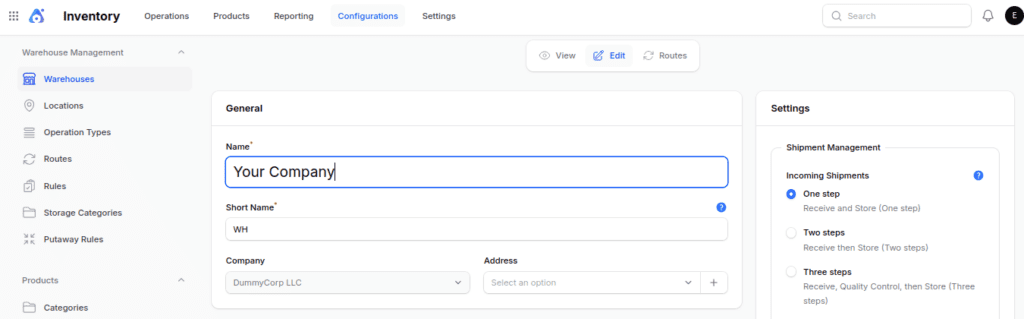
Navigate to: Inventory → Configuration → Warehouses
Choose an existing warehouse or set up a new one. Once you’re in the Warehouse, look for the Incoming Shipments section.
You can choose one of the following options:
- One step: Receive and Store (One step)
- Two steps: Receive, then Store (Two steps)
- Three steps: Receive, Quality Control, then Store (Three steps)

One Step Receipt
In the One Step Receipt process, items go straight from the vendor to the warehouse stock area in just one step.
Flow: Vendor → Stock
Example:
A store buys 100 notebooks from a supplier.

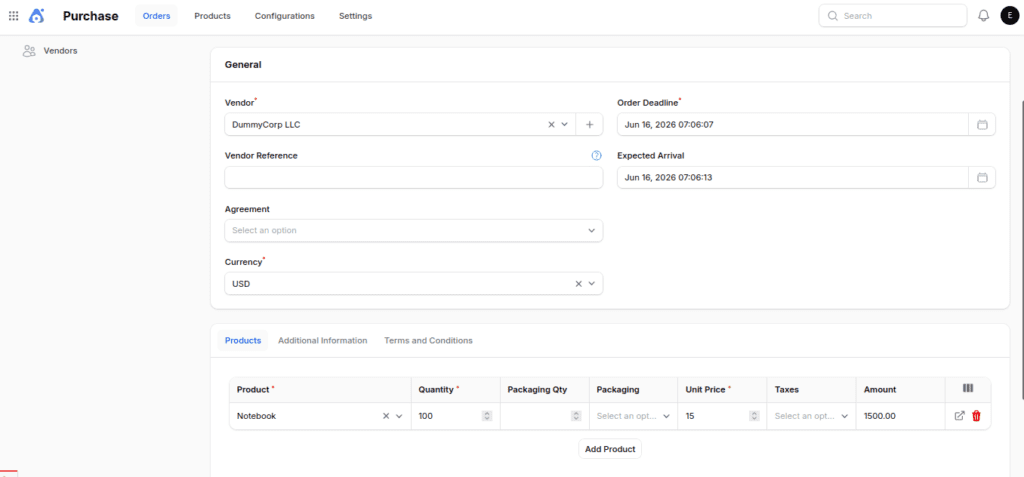
When the shipment arrives:
- The warehouse employee receives the products.

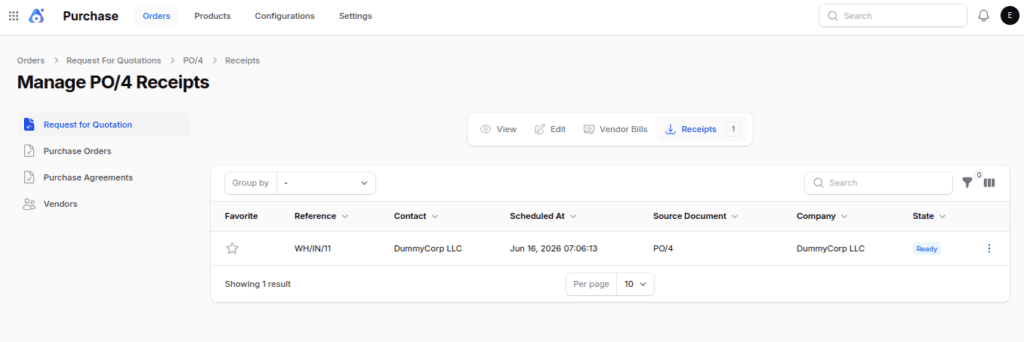
- The receipt is validated.

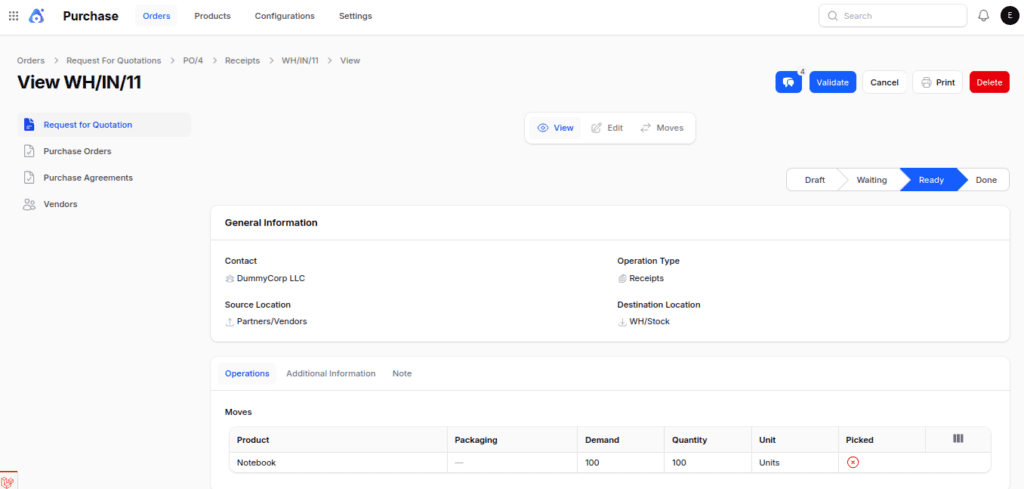
- The 100 notebooks become available in stock immediately.

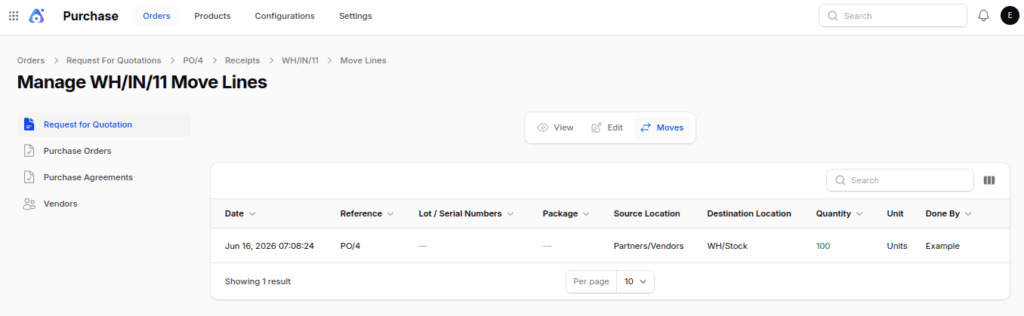
No additional internal transfers are required.
When to Use One Step Receipt
This method is ideal for:
- Small warehouses
- Businesses that use simple systems for getting shipments
- Products that are exempt from quality inspections
- Firms that receive limited quantities of goods
Two Step Receipt
In the Two Step Receipt process, items are initially received in an input area and then moved to storage.
When you turn on Two Step Receipts in Aureus ERP, the system automatically sets up the necessary warehouse configuration for receiving items.
Automatically Created Components
Location
- WH/Input: A place where products are briefly stored after arriving from sellers.


Operation Type
- Storage
- Source: WH/Input
- Destination: WH/Stock


Route & Rules: Your Company: Receive in 2 Steps (Input + Stock)


Flow: Vendor → Input Location → Stock
Example:
A store buys 100 notebooks from a supplier.

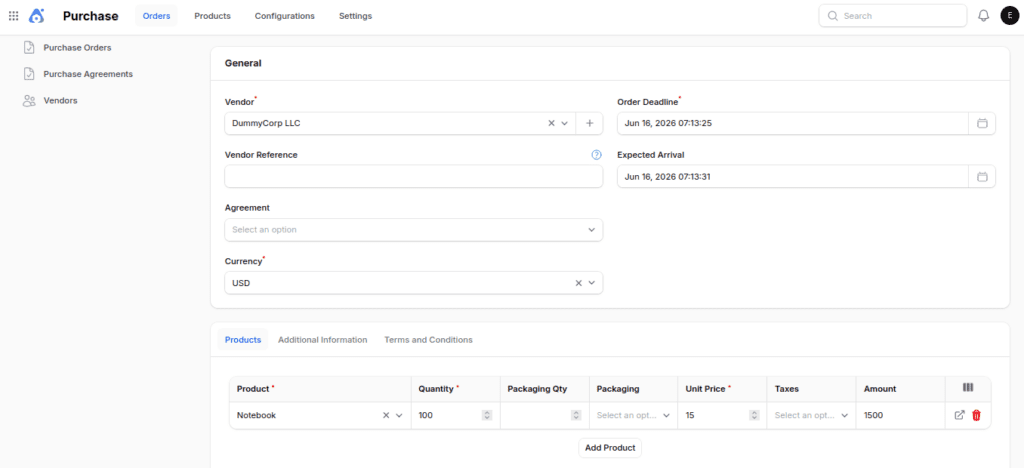
- The Notebooks are taken off the truck and put in the receiving area (Input Location).
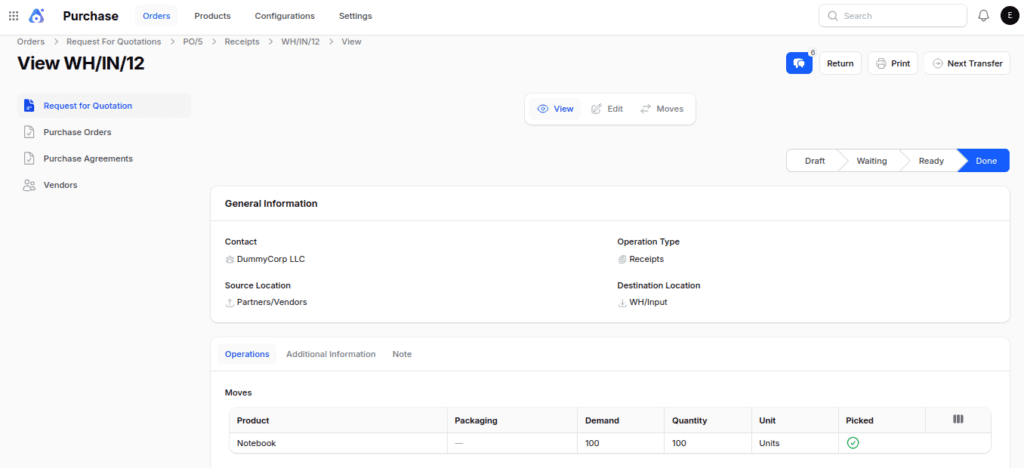
- Then, click the next transfer button to view the upcoming transfer that will move items to storage (WH/stock) from the input location.
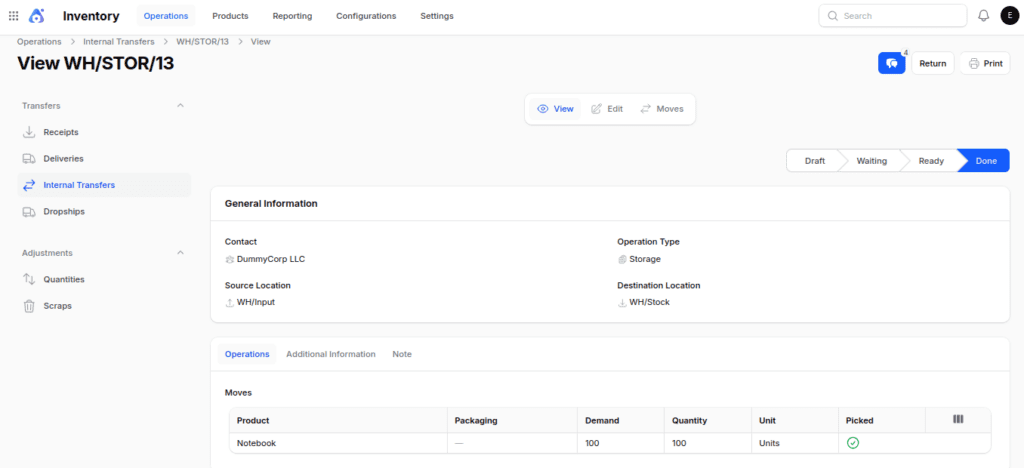
- Once validated, the products will be in stock.

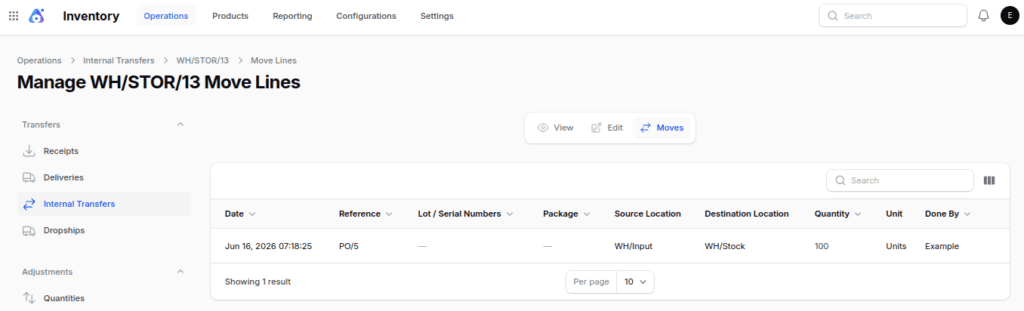
When to Use Two Step Receipt
This method is suitable for:
- Medium-sized warehouses
- Companies that manage a lot of products
- Warehouses with teams focused on receiving and storage
- Activities that require short-term storage areas
Three Step Receipt
The Three Step Receipt process adds a quality control stage before products enter inventory.
When you turn on Three Step Receipts in Aureus ERP, the system automatically sets up the necessary warehouse configuration for receiving items.
Automatically Created Components
Locations
- WH/Input: Gets products from suppliers.
- WH/Quality Control: Stores products temporarily for inspection before they are placed in storage.


Operation Types
- Quality Control
- Source: WH/Input
- Destination: WH/Quality Control
- Storage
- Source: WH/Quality Control
- Destination: WH/Stock


Route & Rules: Your Company: Receive in 3 Steps (Input + Quality + Stock)


Flow: Vendor → Input Location → Quality Control → Stock
Example:
A store buys 100 notebooks from a supplier.
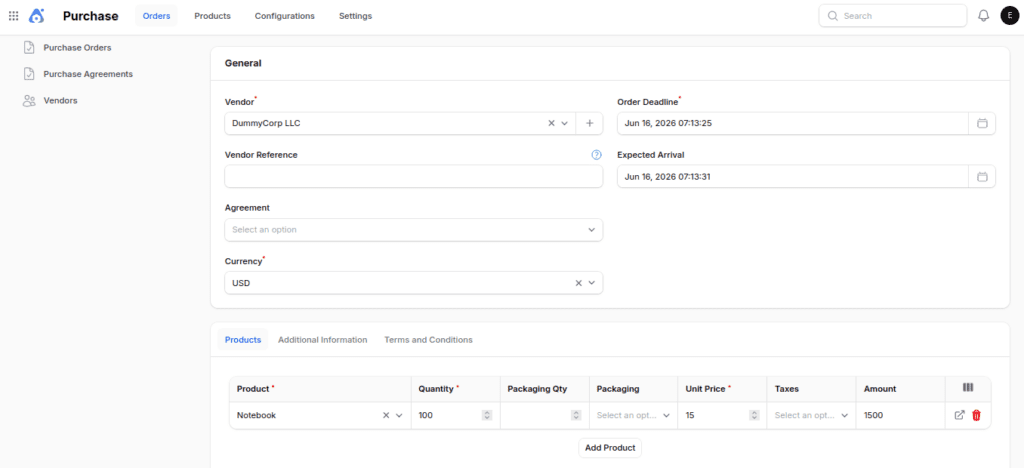
- Notebooks come to the warehouse, and after they are checked, the item is moved from the partner or vendor’s place to the input location.
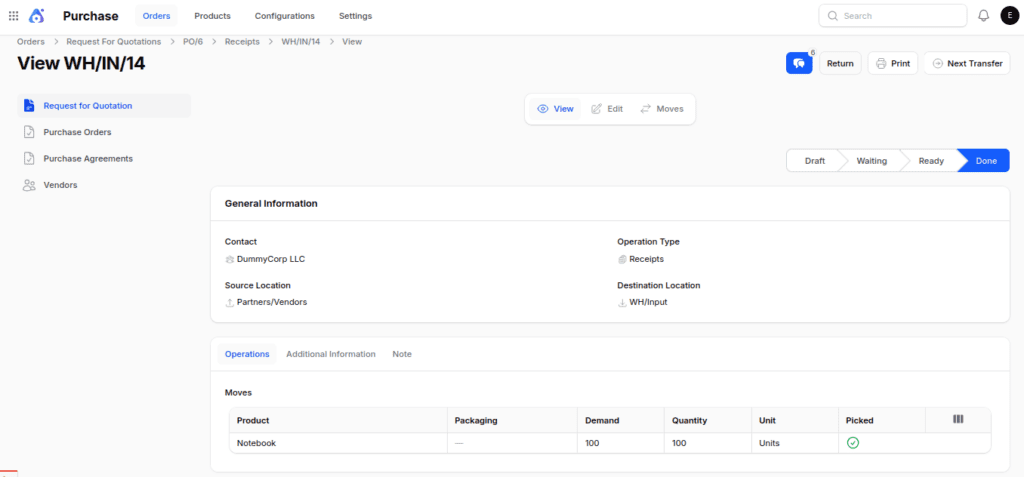
- Next, move the item from the input area to the quality control area for the quality team to check it and then confirm it.
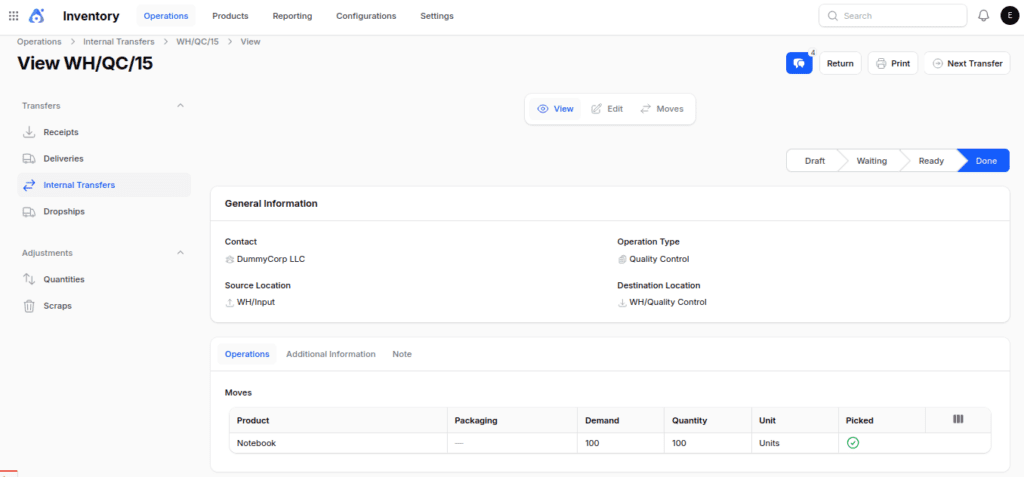
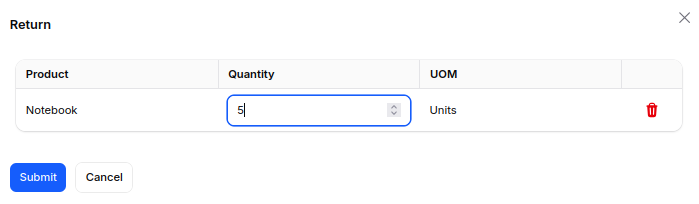
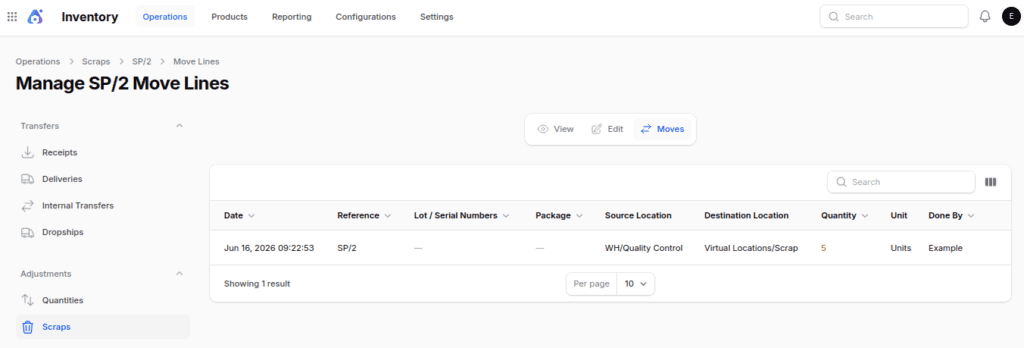
- Items that are rejected can be
returned:

discarded:

- After the quality check, the quality team validates the transfer to move from the quality control location to the stock location.
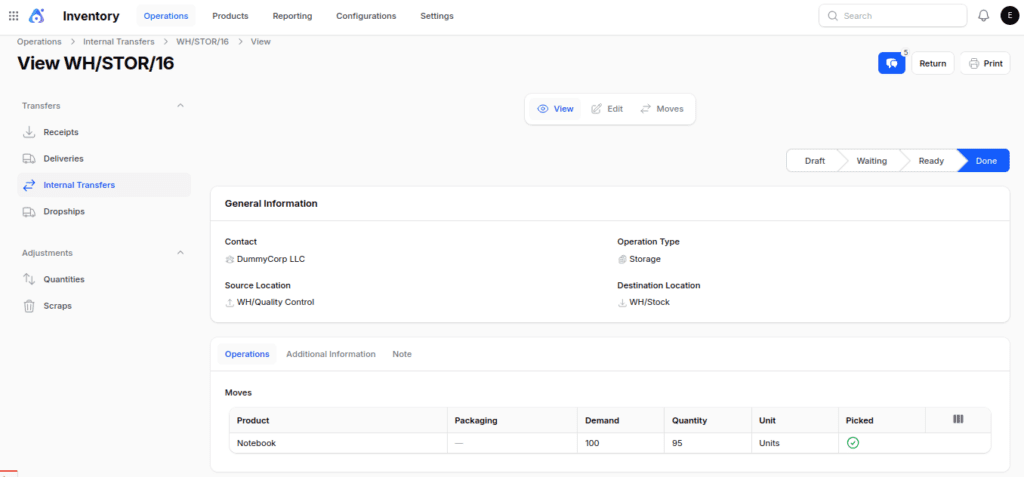
This makes sure that only approved materials enter the inventory.
When to Use Three Step Receipt
We recommend this workflow for:
- Companies that make products
- Pharma companies
- The food and drink industries
- Electronics suppliers
- Businesses that prioritize quality above all else
Final words
Choose the receiving method that best matches your warehouse operations.
- One Step Receipt is great for quick and easy receiving processes.
- The Two Step Receipt system helps keep warehouses organized by dividing the processes of receiving and storing items.
- The Three Step Receipt gives you the best control by including a quality check before items are put into stock.
With Aureus ERP, companies can quickly set up the incoming shipment process to fit their needs, which helps enhance inventory accuracy and ensure product quality