A package is a box or container that holds one or more items for keeping, transporting, and sending.
So, instead of handling each item separately, warehouse workers can keep an eye on and manage the whole package when it comes in, during internal moves, and when it gets delivered.
Packages are really important for Inventory Management because they help companies sort, keep, transport, and monitor products in the warehouse.
Benefits of Using Packages
Packages make warehouses work better in many ways. For instance, they assist companies:
- Enhance your inventory setup by combining several products into one package.
- Make Warehouse Operations Faster since teams can transport whole packages instead of just single items.
- Boost traceability by monitoring where packages are and how they move.
- Make shipping easier by improving how we pack and manage shipments.
- Minimize handling mistakes because workers deal with fewer inventory items while working.
Methods to Create a Package
Aureus ERP offers two easy ways to make packages. You can either go to the Packages menu to create a package or do it right while working in the warehouse.
Method 1: Create a Package from the Packages Menu
This Method lets you make a package straight from the Packages menu before you use it in a warehouse transfer.
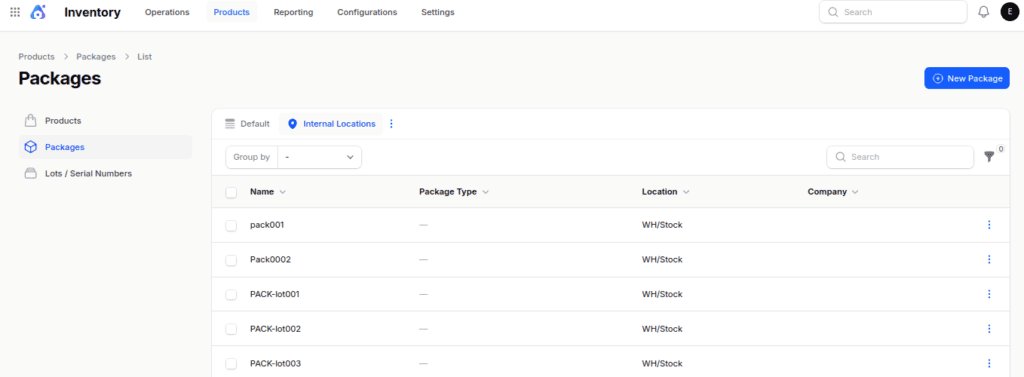
Step 1: Navigate to Packages
Go to: Inventory → Products → Packages
Next, click the New Package button.

Step 2: Enter Package Details
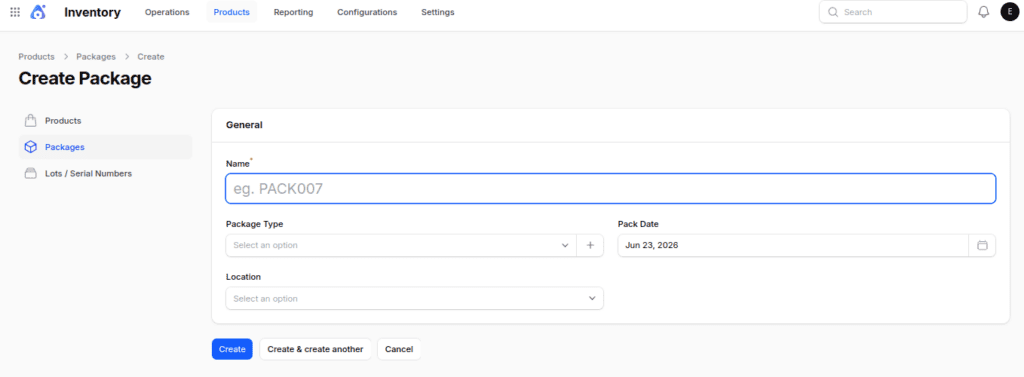
Fill in the following information:
- Name – A unique package identifier.
- Package Type – The package category, such as Box, Pallet, or Carton.
- Pack Date – The date you create the package.
- Location – The warehouse location where you want to store the package.
Step 3: Save the Package
Click on the Create button.
Step 4: Use the Package
After you make the package, you can choose it when receiving, delivering, and moving it around inside.
Method 2: Create a Package While Processing Inventory Transfers
You can make a package right when you’re handling a receipt, delivery, or internal transfer.
This technique lets you make and assign a package while still doing the transfer operation.
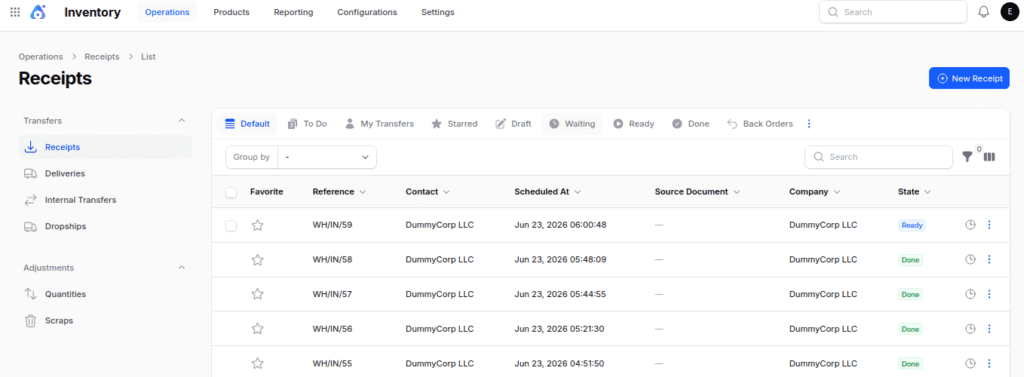
Step 1: Open a Transfer
Start by opening the receipt, delivery order, or internal transfer that you want to use to assign products to a package.
Step 2: Access Detailed Operations
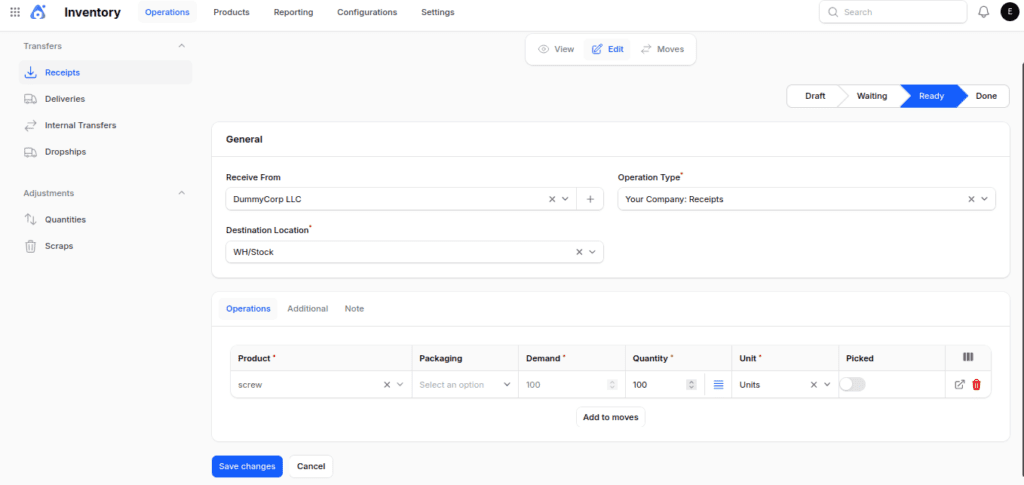
Click on the Mark as Todo button. Then go to the Operations tab, click the menu icon in the quantity column.

Step 3: Open the Package Creation Option
In the pop up window, locate the Destination Package field.

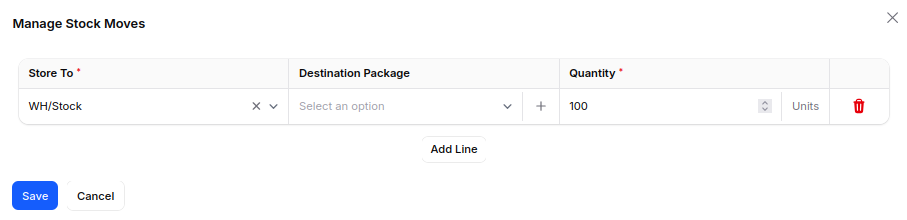
Step 4: Create a New Package
Click the + (Create) icon next to the Destination Package field.
Step 5: Enter Package Information
Please enter the necessary package information and then save the record.

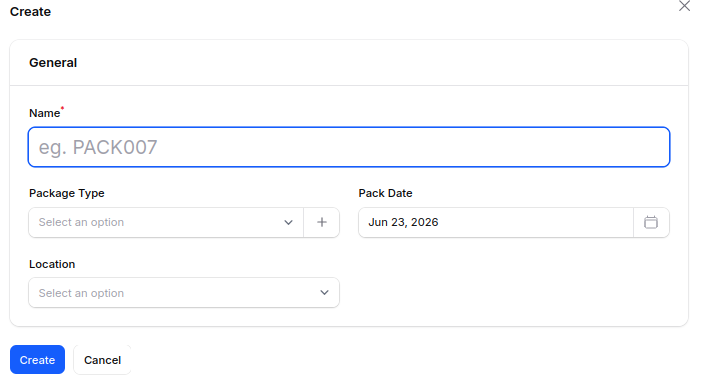
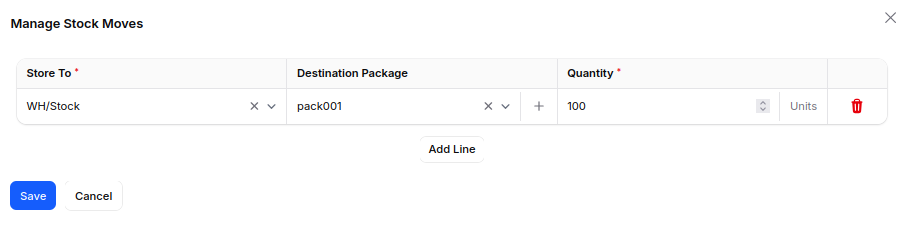
Step 6: Assign the Package
Once you save, the system will automatically include the new package in the transfer.
This lets you assign products to it right away and keep working on the operation.

Using Packages in Warehouse Operations
Once you make a package, you can use it in various inventory tasks.
As a result, warehouse teams can handle batches of products more effectively and keep a better track of their inventory.
Receipt Flow
While receiving items, the staff in the warehouse can organize the incoming products into packages.
Because of this, they can transport and keep all the items together rather than dealing with each product one by one.
Example:
A supplier brings in 100 laptops.

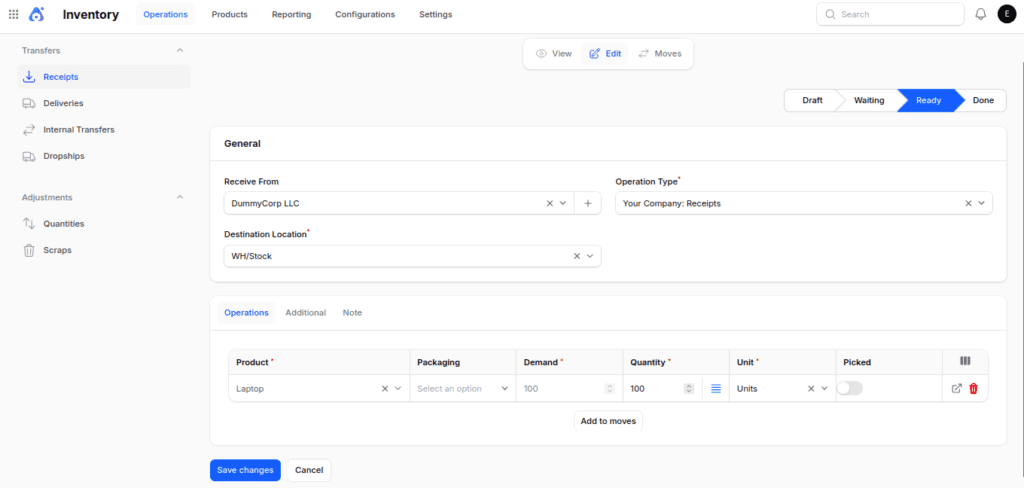
The receiving team puts all 100 laptops into package PACK-LAPTOP-001 while they are checking them in.

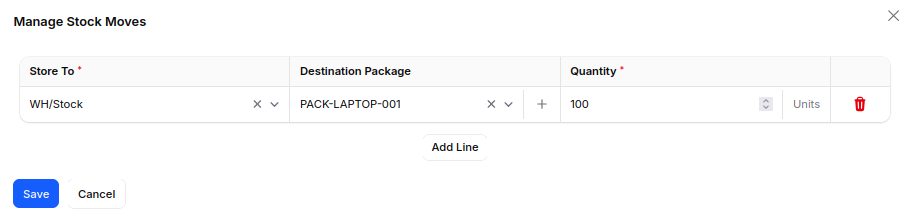
Next, the team takes the package straight to the storage area, which cuts down on handling time and makes things more organized.

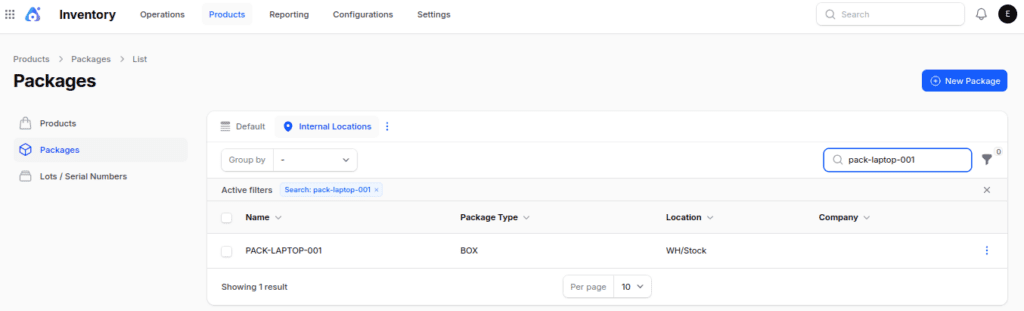
Internal Transfer Flow
Packages speed up internal transfers since warehouse teams can handle a whole package at once instead of moving products individually.
As a result, they are able to move stock around more effectively.
Example:
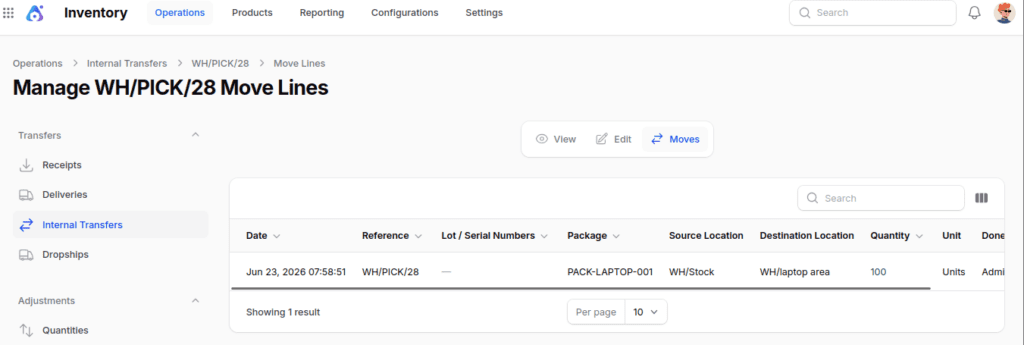
The warehouse keeps package PACK-LAPTOP-001 in WH/Stock.
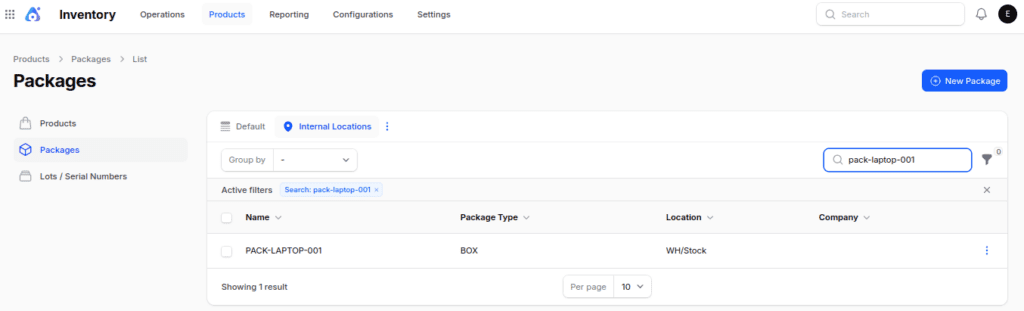
Later, the team moves the package to WH/laptop area to place it in a particular location in the warehouse.

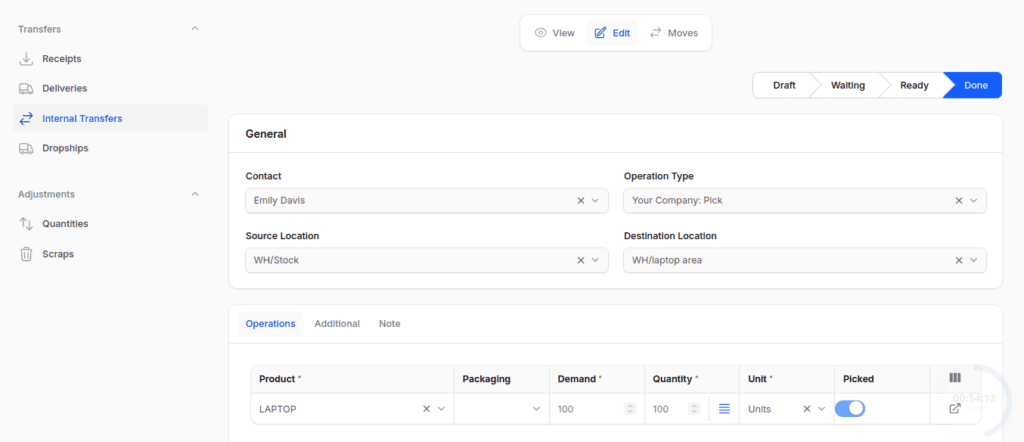
Because the package has all the related products, we only need to move the inventory once.

Delivery Flow
While delivering, the warehouse team can put products into a box before checking the shipment.
As a result, they are able to monitor the package during the entire delivery process and enhance the accuracy of shipments.
Example:
A customer requests 20 laptops.

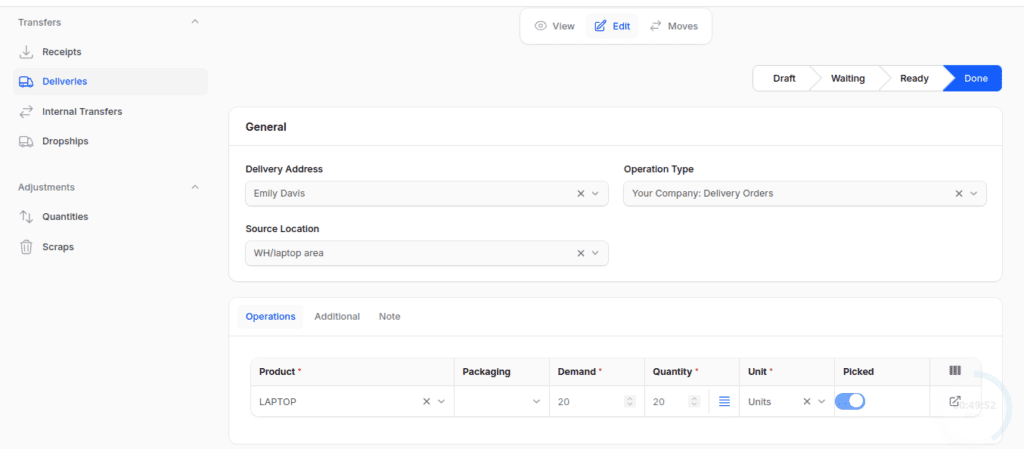
The shipping team puts the laptops into package PACK-DEL-LAPTOP-001 and checks the delivery order.

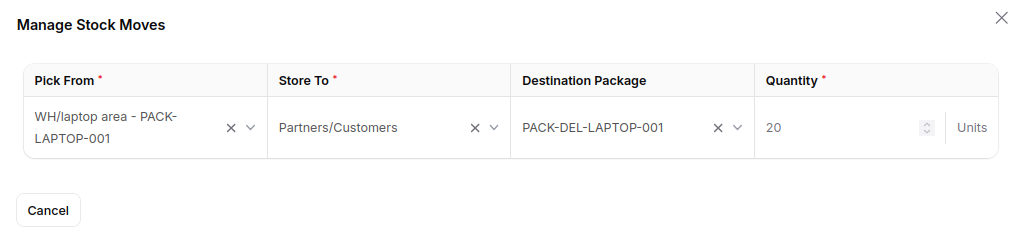
Then, the system keeps an eye on the package until it is fully shipped.
Final Words
Packages assist companies in managing their inventory, enhancing traceability, and making warehouse operations more efficient.
Also, they make it easier to receive, transfer internally, and deliver items by letting teams handle groups of products as one unit.
As warehouses expand and the amount of inventory rises, packages become increasingly important.
So, companies that use packages can work more efficiently, make fewer mistakes when handling items, and keep a better track of their inventory all along the supply chain.