The Product Packaging feature in AureusERP allows businesses to set specific amounts for how products are packaged, like a Pack of 6.
These packaging arrangements assist in keeping track of sales, purchases, deliveries, and receipts correctly.
Note: You need to turn on the packaging toggle separately from all the modules (like sales, purchase, inventory) to use the packaging feature.
If you don’t activate this setting, you won’t have access to packaging options.
Go to Sales/Purchase/Inventory module→ Setting → Manage Product→Packaging.

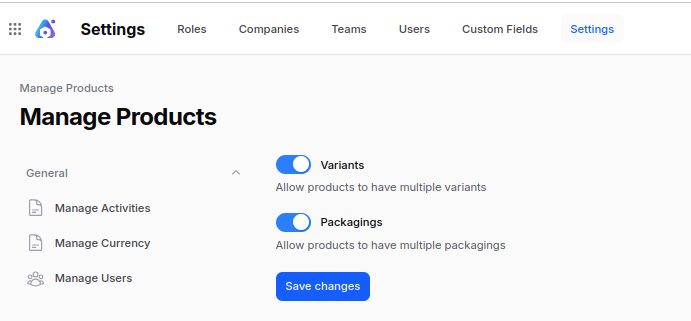
Steps to Create Product Packaging
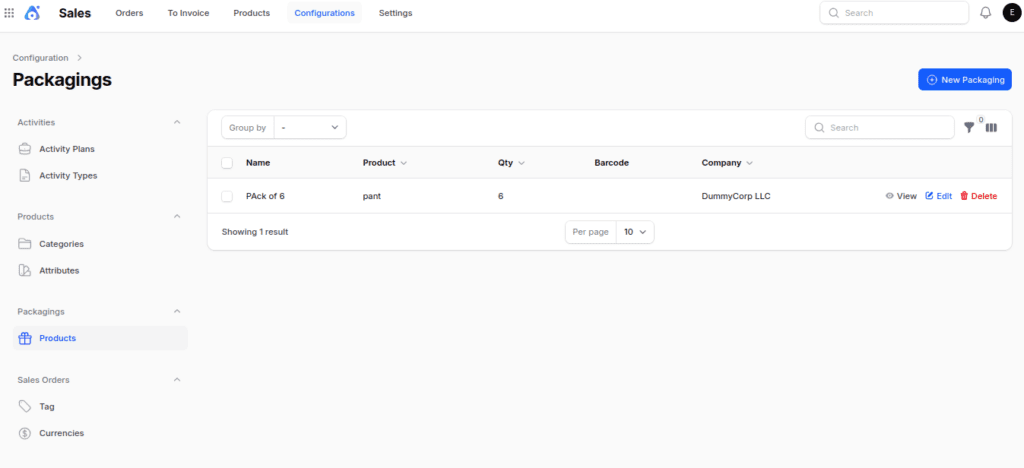
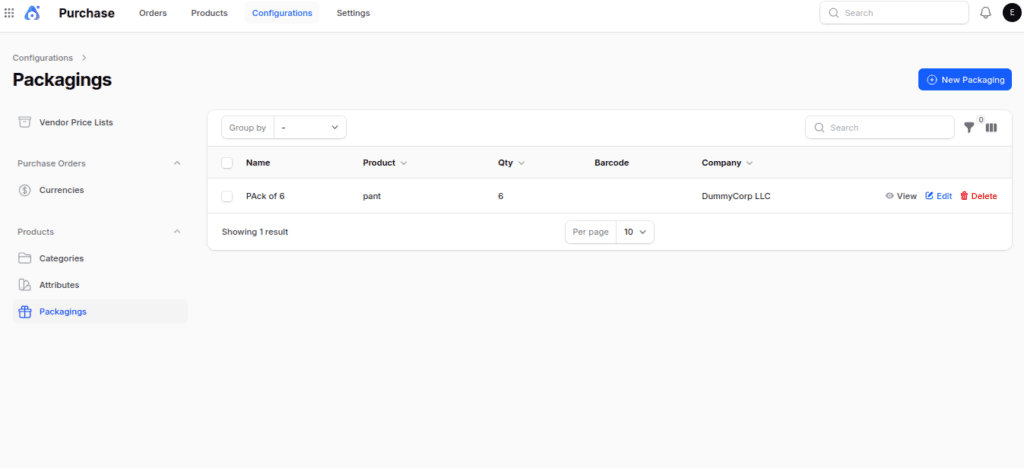
Step 1: There are several ways we can get to the packaging:
1. Sales module: Go to Sales→ Configuration → Packaging → Product.

2. Purchase module: Go to Purchase → Configuration → Product section → Packaging.
3. Inventory module: Go to Inventory → Configuration → Product section → Packaging.

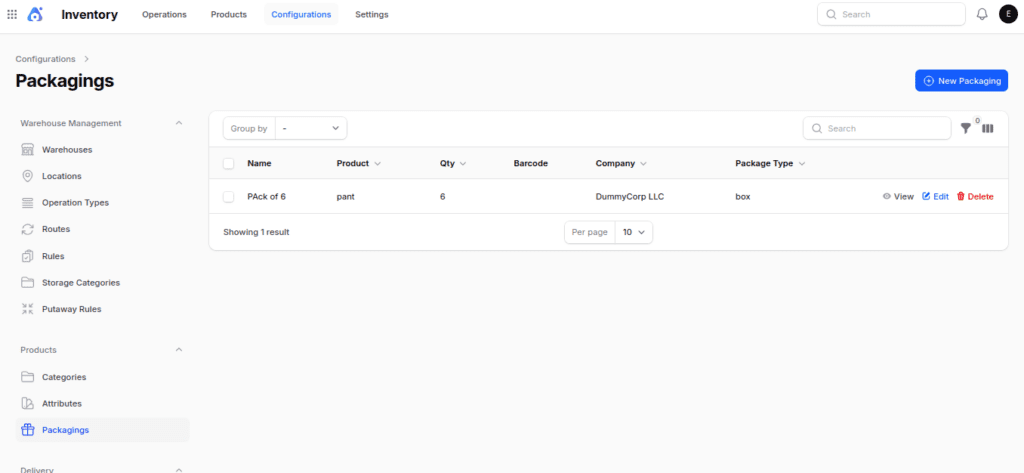
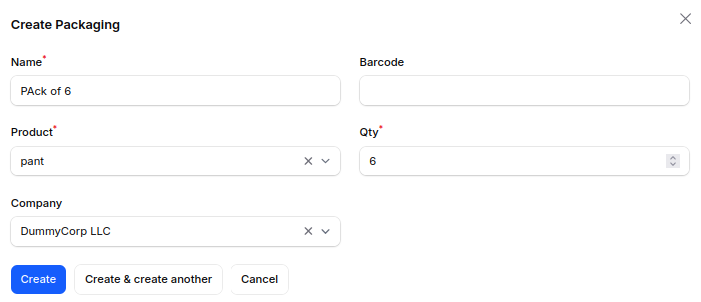
Step 2: Fill in the following fields:
- Name → Name of the packaging type.
- Barcode → Optional barcode for the packaging.
- Product → Link this packaging to a specific product.
- Quantity → Number of items contained in one package.
- Company → Select the applicable company.
Step 3: Click on Create button as shown in the image below.

Using Packaging in Quotations
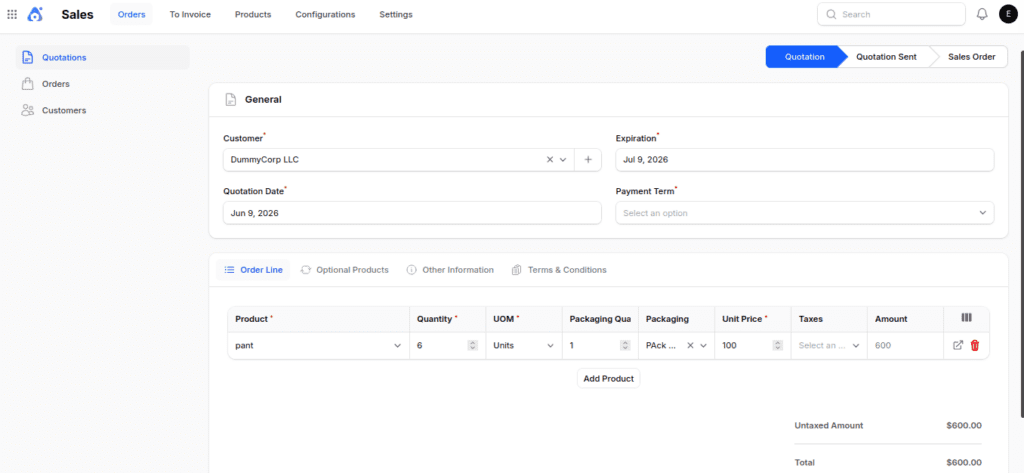
Packaging is applied when creating quotations.
Steps:
- Navigate to Sales → Order → Quotation → New Quotation.
- In the Orderline tab, add the desired product.
- Go to the Packaging column in the table.
- Click the drop‑down arrow and select the desired package from the list.
- Then confirm this quotation.
- Press the delivery button, and then check out the packaging column.
This makes sure that the quote shows the right packaging choice, which helps with more accurate delivery.
Using Packaging in Request for Quotation(RFQ)
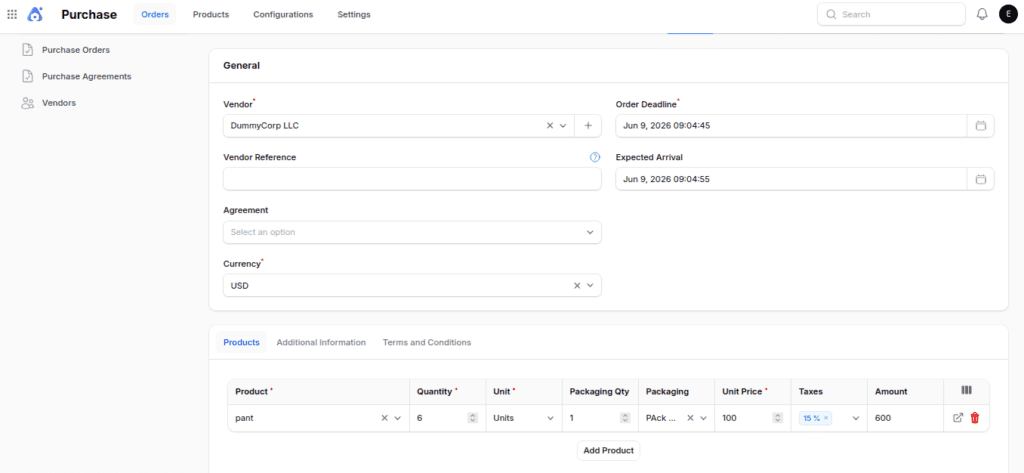
Packaging is applied when creating RFQ.
Steps:
- Navigate to Purchase → Order →Request for Quotation → New RFQ.
- In the Product tab, add the desired product.
- Go to the Packaging column in the table.
- Click the drop‑down arrow and select the desired package from the list.
- Then confirm this RFQ.
- Press the receipt button, and then check out the packaging column.
This makes sure that the RFQ shows the right packaging choice, which helps with more accurate delivery and billing.
Final words
Aureus ERP Product Packaging makes sure that the number of items in packages is the same for sales, buying, and inventory tasks.
Using set packaging makes shipping easier, cuts down on mistakes, and helps manage large amounts of products better.
Once the packaging is set up, teams can easily handle quotes, RFQs, deliveries, and receipts.