The Product Categories in Aureus ERP allow businesses to arrange their products into neat groups.
This makes it easier to handle products and helps with buying, selling, and managing items more effectively.
They can be used to set common buying rules and plan how to store items.
Why Product Categories Matter
They are useful because they sort products into groups, which makes it simpler to shop, keep track of stock, and generate reports.
A few key benefits are:
- Better Organization →Put similar products in the same group.
- Quick Search →Quickly find things in big catalogs.
- Better Reporting → Look at products sorted by their category.
- Consistent Rules → Make sure everyone has the same buying settings.
- Inventory Support → Allow rules for putting things away and classifying products.
- Scalability → Manage larger product catalogs easily.
Creating Product Categories
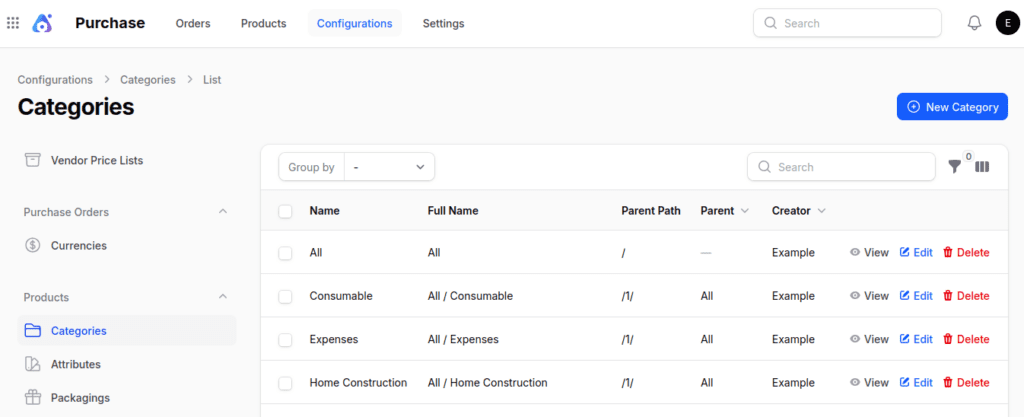
Step 1:Go to Categories:
Go to Purchase / Sales / Inventory /Invoice / Accounting Module > Configuration > Products Section > Category > New Category

Step 2: Fill in Category Details
- Name → Enter the name of the category (such as Electronics or Clothing).
- Parent → You have the option to assign a main category in order to create a subcategory.

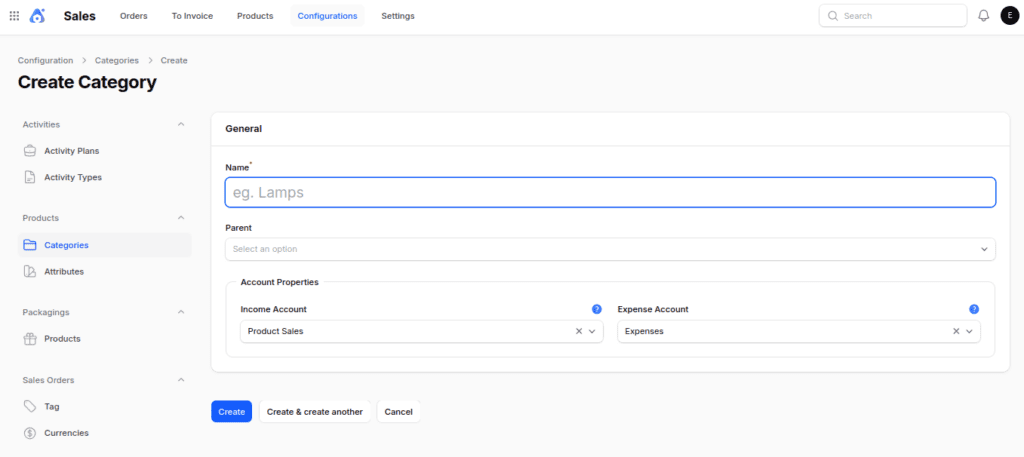
Step 3: Save the Category
Click on Create to finish making the new category.
Where Product Categories Are Used
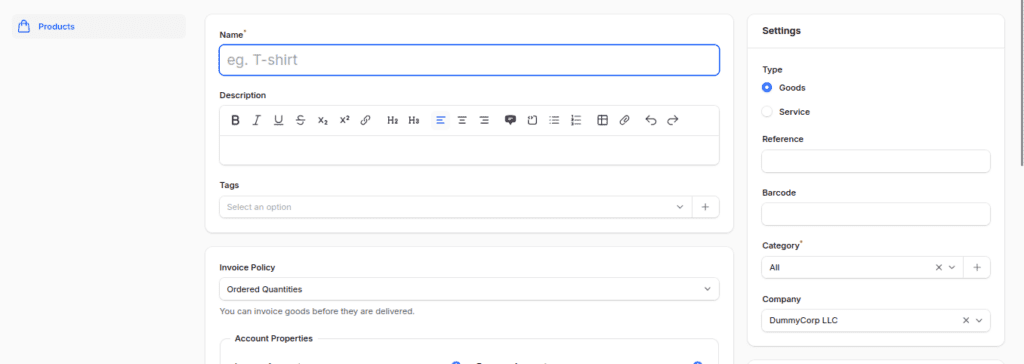
1. When making products, putting them in the right category helps keep things tidy and makes it easier to report.

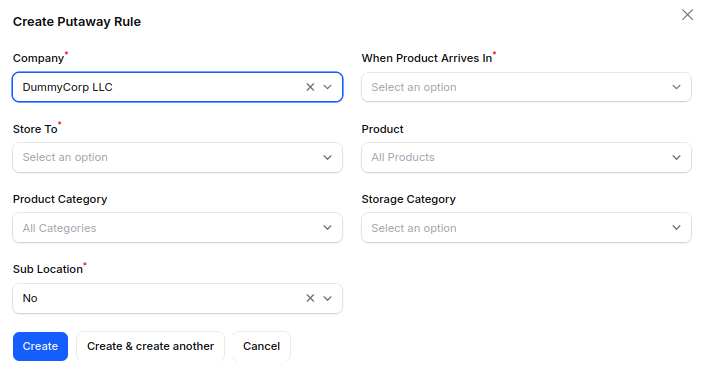
2. They play a role in Inventory management, especially when setting up putaway rules to make the most of product storage spots.

Final Words
Product Categories in Aureus ERP make it easy to sort products clearly, which helps with managing purchases and keeping product records uniform across the company.
It also helps make shopping easier by grouping similar items.
This makes it easier to work with suppliers, generate reports, and decide on purchasing in bulk.
Product categories help with inventory tasks like putting things away and sorting products.
Product categories make it easier to manage inventory tasks, such as organizing items and sorting products.