Activity Plans allow sales teams and individual users to make sets of tasks that can be used again.
Additionally, these plans simplify work by ensuring teams follow the same process for leads, opportunities, and orders.
Creating an Activity Plan
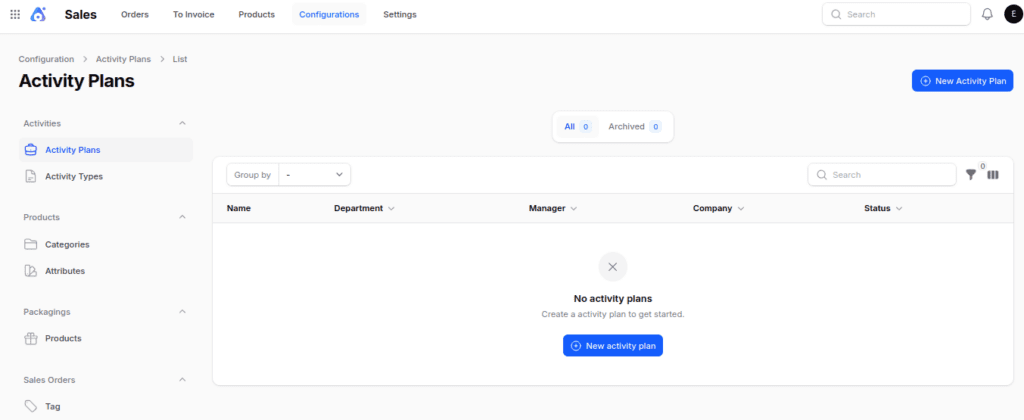
Step 1: Navigate to Activity Plan Creation
Go to Sales → Configuration → Activities Section → Activity Plan → New Activity Plan.

Step 2: Fill in Basic Details
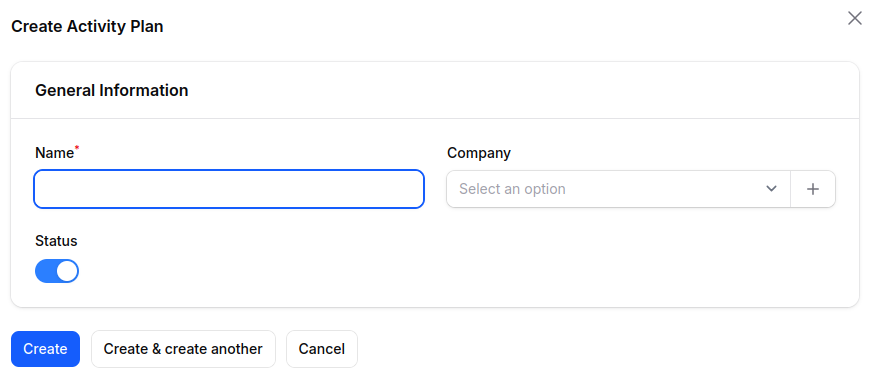
- Name → Title of the plan (e.g., New Customer Onboarding).
- Company → Choose an existing company or create a new one.
- Status → Toggle to activate or deactivate the plan.

Step 3: Add Activities to the Plan
Once the plan is created, navigate to
Activity Plan → Edit → New Activity Plan Template → Create → Save Changes.
Activity Template Fields
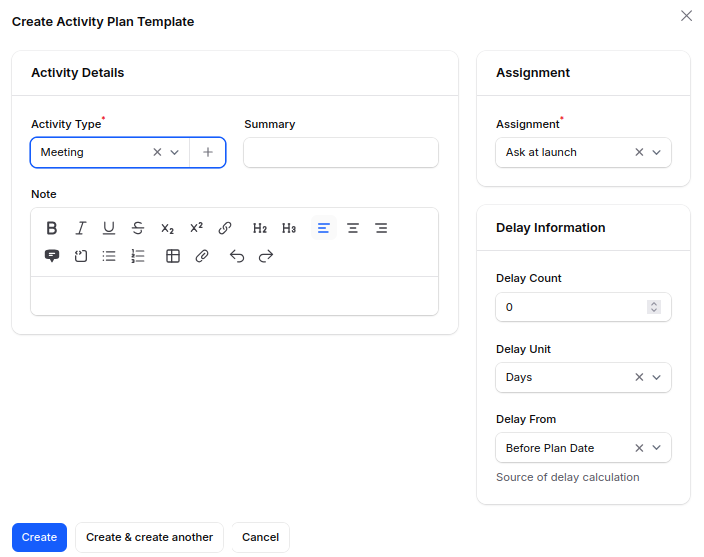
- Activity Type →Select the category (e.g., Assignment, Meeting, Training, or Task).
- Summary → Enter a short description that explains the activity in one or two lines.
- Note → Add details, clarifications, or instructions related to the activity.
- Assignment → Select the responsible role for the activity, such as On Demand, Other, Coach, Manager, or Employee.
- Delay Count → Enter the number that represents the delay (e.g., 2, 5, or 10).
- Delay Unit → Choose the measurement unit for the delay (Minutes, hours, days, or weeks).
- Delay From → Choose the reference point used to calculate the delay.
Tip: Click the ➕ icon to create a new Activity Type directly from this screen.
This way, you can add new activity categories without leaving the page.

Scheduling an Activity Plan for a Sales Order
To schedule an activity for a specific order or quotation, follow these steps:
- Navigate to Sales → Order → Order/Quotation.
- Select the existing order or quotation.
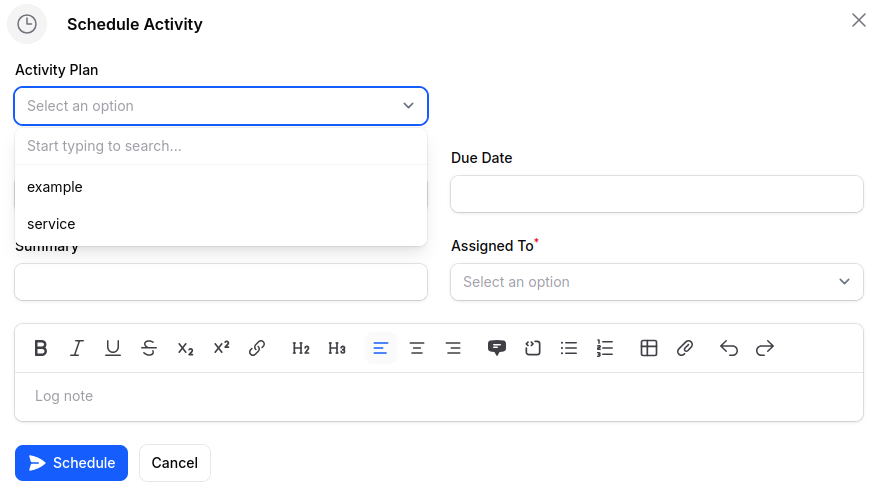
- In the Chatter Thread, click on the Schedule Activity button.


4. Choose the existing activity plan in the activity plan field and assign it to the responsible user.

Conclusion
Activity Plans in Aureus ERP make sales workflows more consistent by allowing the creation of task sequences that can be reused.
They make sure to follow up regularly on quotes and sales orders. With activity templates, users can set up tasks, assign responsibilities, and plan timelines ahead of time.
This cuts down on manual tasks and helps groups keep things organized during the Sales Management Process.
Creating an activity plan straight from a sales order or quote saves time. It helps sales teams to easily start setting workflows with little effort.
In general, Activity Plans boost productivity, responsibility, and the ability to keep track of tasks.
They assist companies in having a well-organized and effective way to connect with customers.