In Aureus ERP, Activity Types are used to categorize various sales-related tasks or follow-ups that can be planned, like phone calls, meetings, or uploading files.
Users can link these activity types together to automate follow-up scheduling and help sales teams track leads, opportunities, and orders.
Creating an Activity Type
Step 1: Navigate to Activity Types
Go to Sales → Configuration → Activities Section → Activity Type → New Activity Type.

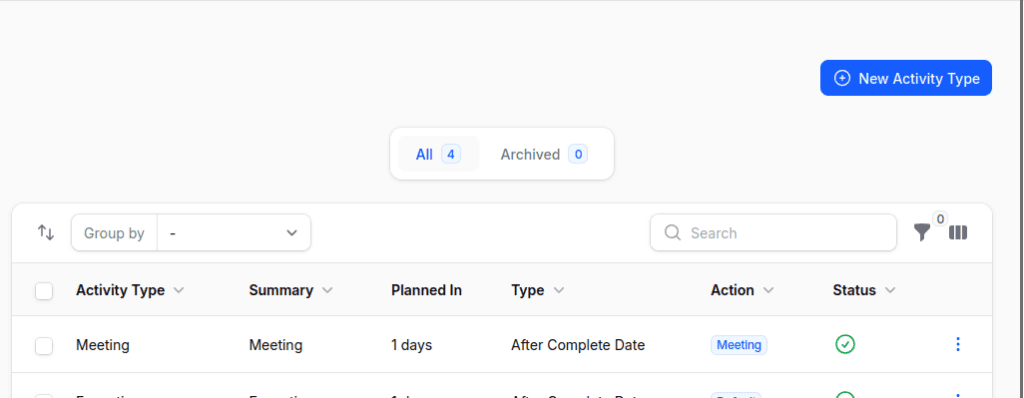
Step 2: Fill in Activity Type Details
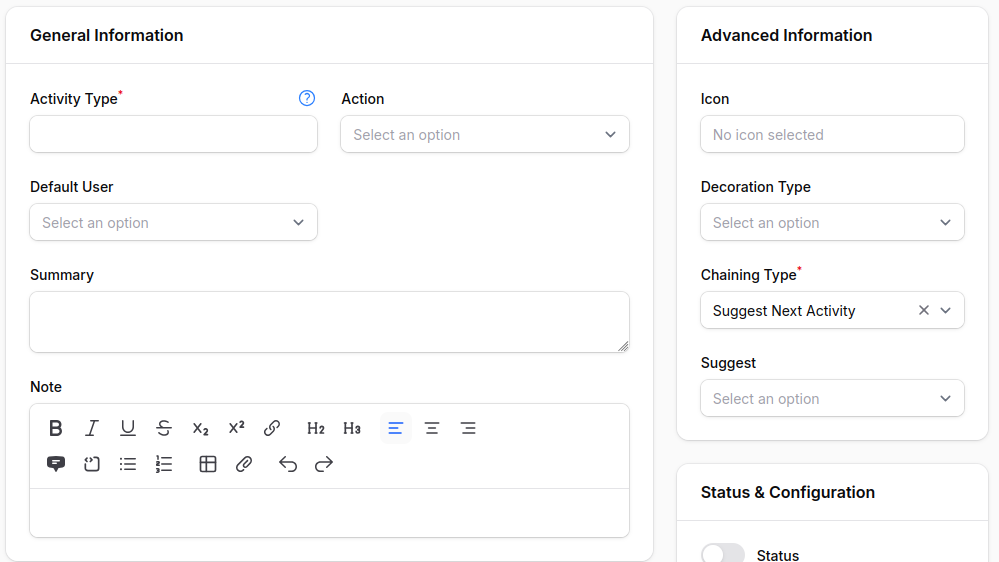
1. General Information
- Activity Type → Label of the activity (e.g., Follow‑Up Call).
- Action → Choose from None, Upload File, Default, Phone Call, Meeting.
- Default User → By default, assign the task to a user.
- Summary → Title or heading for the task.
- Note → Additional description or instructions.
2. Advanced Information
- Icon → Choose an icon that shows what the task is.
- Decoration Type → Add a visual indicator (e.g., alert, error).
- Chaining Type (visible if action ≠ Upload File):
- Suggest Next Activity → Recommends the next action(Select this option and enter the activity that suggest the action in the Suggest field).
- Trigger Next Activity → Automatically assigns the next step(Select this option and enter the activity that triggers the action in the Trigger field).
3. Status & Configuration
- Status → Turn the activity type on or off.
- Keep Done Activities →Keep track of finished tasks for history.
4. Delay Information
- Delay Count →There is a time gap between this activity and the one before it.
- Delay Unit → Choose from Minutes, Hours, Days, Weeks.
- Delay From → Decide if the delay is based on the deadline of the last activity or when it was finished.

Step 3: Click Create
Save the new activity type to make it available for scheduling.
Scheduling an Activity to a Sales Order
To plan an event for a certain order or quote:
- Go to Sales → Order → Order/Quotation.
- Choose the current order or quotation.
- In the Chatter Thread, press the Schedule Activity button.

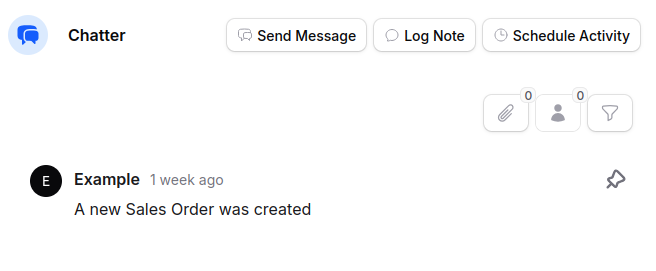
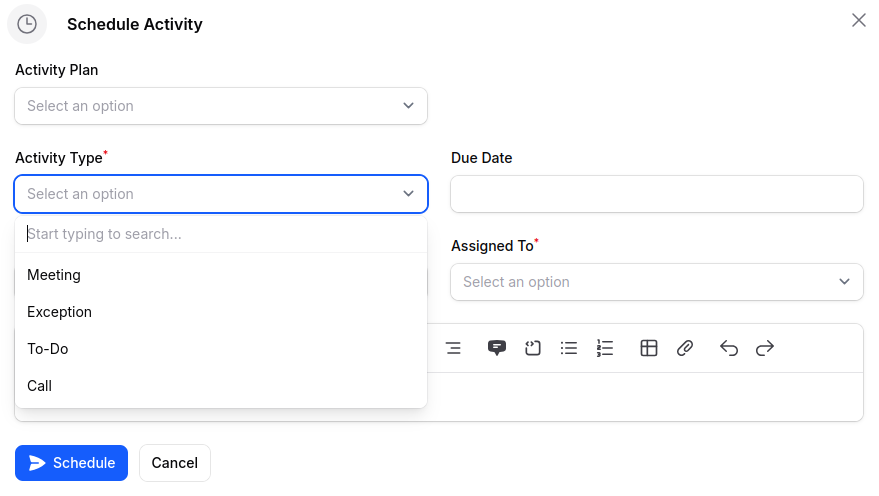
4. Select the type of activity and give it to the user in charge.

Conclusion
In AureusERP, Activity Types help keep track of sales tasks like calls, meetings, and follow-ups. They make sure that important interactions with customers are organized and monitored well.
Sales teams can maintain a consistent workflow by using features like activity chaining and automated scheduling.
This helps reduce manual tasks and ensures that crucial follow-ups are not missed. Using Activity Types helps businesses boost team productivity and engage customers better.
A good activity management process leads to improved sales results and stronger relationships with customers.