The Vendor Price Lists feature in Aureus ERP’s Purchase module helps businesses keep track of pricing agreements with their suppliers.
This way, procurement teams can always find the negotiated rates, know the correct delivery times, and maintain consistent pricing for all purchase orders.
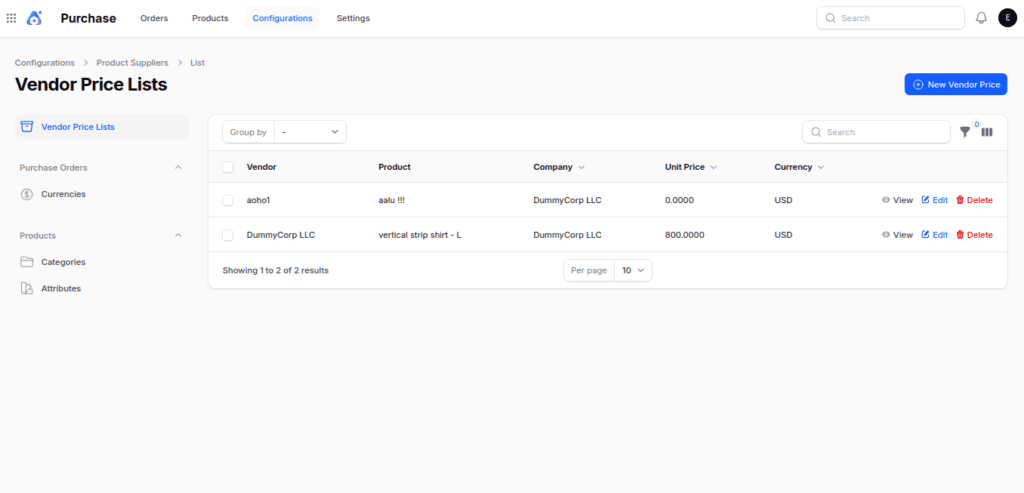
Step 1: Navigate to Vendor Price Lists
Go to Purchase → Configuration → Vendor Price Lists → New Vendor Price.
Step 2: Fill in Vendor Price List Details
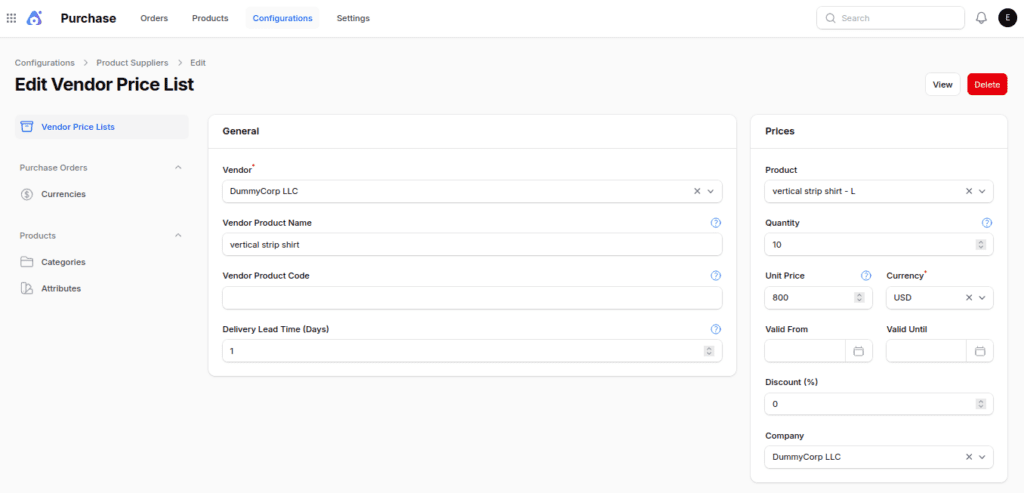
General Section
- Vendor → Select the supplier for this price list.
- Vendor Product Name → Product name as defined by the vendor.
- Vendor Product Code → Vendor’s SKU or unique identifier.
- Delivery Lead Time (Days) → Expected number of days for delivery.
Price Section
- Product → Link the vendor’s item to your inventory product.
- Quantity → Minimum purchase quantity applicable for this rate.
- Unit Price → Price per unit charged by the vendor.
- Currency → Select the transaction currency.
- Valid From / Valid Until → Define the validity period of the price.
- Discount (%) → Optional discount applied to the listed price.
- Company → Associate the pricing with the relevant company entity.
Step 3: Save the Vendor Price List
Click Create to finalize the new vendor price list.

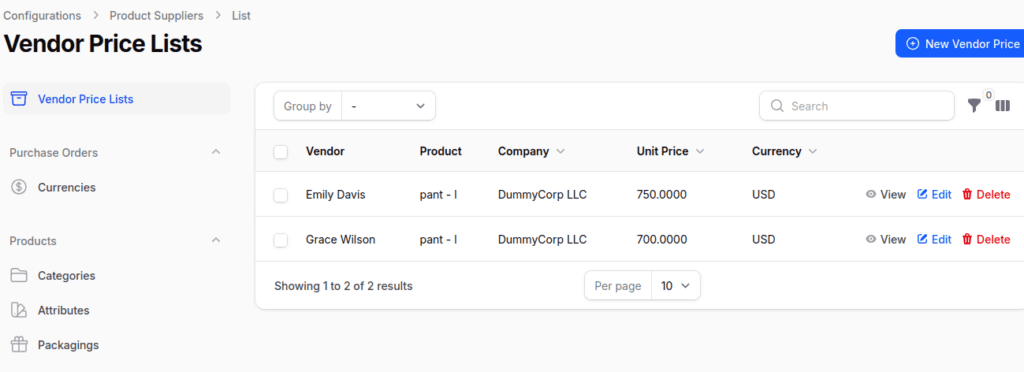
Step 4: After creating the vendor price list.
After creating, the system redirects to the View Price List page where you can edit as needed.
Using Vendor Price Lists in RFQs
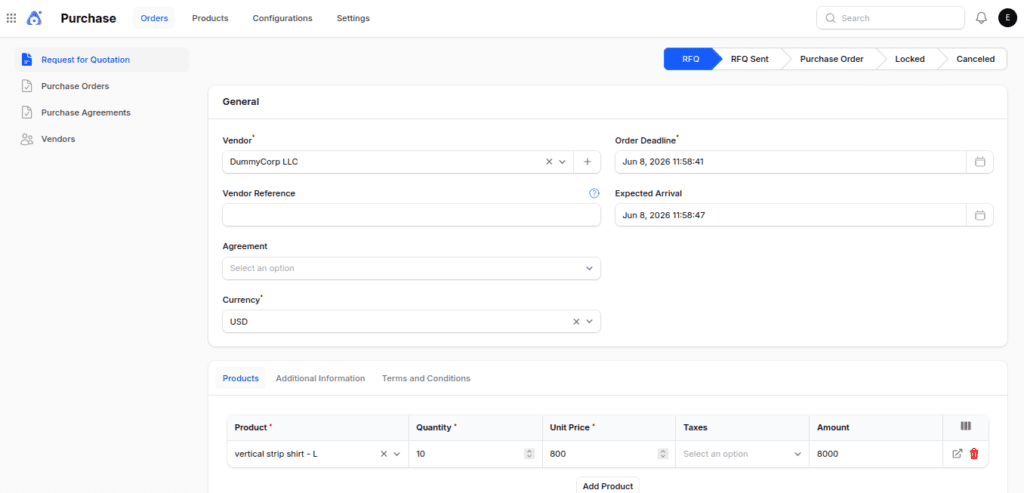
Vendor Price Lists are applied during the Request for Quotation (RFQ) creation process to ensure accurate and automated pricing.
Workflow
- Add Vendor: To make an RFQ, choose the vendor in the Vendor field. The vendor you pick has to be linked to the product in the Vendor Price List.
- Add Product: In the Product tab, include the product that has a set Vendor Price List. After that, type in a quantity that matches the minimum amount specified in the price list.
- Auto-Populate Pricing: The system fills in the Unit Price, Currency, and any Discounts that apply by using the Vendor Price List that matches
- Save & Confirm: After the RFQ is saved and confirmed, it will use the agreed-upon vendor prices. This keeps the prices consistent and helps to lower mistakes from manual entries.
Final Words
Vendor Price Lists in Aureus ERP assist companies in keeping track of correct supplier prices and minimizing manual data input.
They make sure that purchasing teams always have access to the most recent agreed-upon rates and delivery conditions.
By keeping track of prices, amounts, discounts, and how long they last for each vendor, companies can make their pricing more consistent.
This makes it easier to manage buying costs and helps build stronger relationships with suppliers.
When combined with RFQs, Vendor Price Lists automatically use the right pricing details and lower mistakes. This way, procurement teams can make purchase documents faster and more accurately.


Be the first to comment.